11/18/2026 - Articles

PSA Software for IT Service Providers: How to Bill for Client Projects and Ongoing Services

PSA software lets IT service providers use the same data to bill for fixed-price projects, flat-rate support plans, and additional services. A real-world example shows how it works. Take the interactive seven-question PSA assessment to find out what to look for in software that supports both your projects and your ongoing services.

Key Takeaways

PSA software (professional services automation) brings together project management, resource planning, time tracking, and billing.

IT service providers use PSA software to manage client projects, support, and ongoing managed services with shared data.

Project billing: Bill fixed-price projects according to the agreed terms and time-and-materials projects based on the work performed.

Service billing: You can combine flat monthly fees, blocks of hours, charges for additional work, and usage-based billing.

Ticketing and time tracking: The contract terms and approval determine which logged support hours you can bill separately.

Resource planning: Project work and ongoing IT support draw on the same staff capacity, so plan them together.

Profitability tracking: Compare planned and actual hours to see how profitable your projects and service contracts are.

BCS is Projektron’s integrated PSA software for IT service providers. It connects project management, service management, CRM, and invoicing.

What Is PSA Software for IT Service Providers?

PSA stands for Professional Services Automation. PSA software connects service planning, delivery, management, and billing. IT service providers use it to plan client projects and staff capacity, coordinate support, and track time. They use the same data to monitor costs and profitability, document work performed, and generate invoices.

A ticketing system helps you manage support requests. PSA software also connects that work to contracts and billing so you can answer these questions. 

Which client received the service, and under which contract?

What price applies?

Does the flat fee cover the service, or can you bill for it separately?

Projects and Services

This connection is especially important for IT service providers that handle both implementation projects and ongoing IT operations. Both types of work often draw on the same staff but follow different planning and billing rules. For example, a provider might offer an implementation project at a fixed price and then provide ongoing support under a monthly service agreement.

BCS brings these tasks together in an integrated project management, ERP, and PSA solution.  With BCS, IT service providers can

Plan and manage client projects

Coordinate support services

Manage staff capacity

Track work hours

Create invoices and send them directly to clients

Teams across departments use the same data for all these tasks. BCS covers the full range of PSA requirements and also offers extensive features for business administration, human resources management, and business process optimization.

What Billing Models Are Used for IT Services?

IT service providers deliver different types of services, and billing rules can vary by service. The same client might commission a fixed-price project, pay a flat monthly service fee, and request additional work billed on a time-and-materials basis.

Define the billing model for each service or contract and record which service or contract each piece of work falls under.

Billing modelIT service exampleHow the charge is calculated
Time and materials (T&M) Consulting, troubleshooting, or approved additional work Approved hours or days at the agreed rate, plus any agreed nonlabor costs
Fixed price Implementing an interface Agreed amount or installment, for example, upon acceptance of a milestone
Recurring flat fee Ongoing operation of an IT environment, billed monthly Contract line item that specifies the amount, term, and billing frequency
Included hours with overage charges Monthly support plan with five hours included Flat fee plus any separately billable hours beyond the included hours
Usage-based billing Storage, managed devices, or user accounts Agreed quantity or measured usage for the billing period × price per unit

Combining Billing Models

IT service providers often combine these billing models. For example, a managed services agreement might include a base fee for ongoing operations, with additional consulting billed by the hour and storage billed based on usage.

PSA software must let you track hours worked and link each service to the corresponding order, client, and billing rule. This lets you verify which time entries are already covered and which should go on the invoice.

How to Bill for Client Projects

For a fixed-price project, the contract determines the invoice amount. For time-and-materials billing, the amount depends on the approved work and the agreed rates. Follow the rules below when you set up the order so the invoice reflects what the client agreed to.

An end-to-end process connects the business side of the project with day-to-day delivery.

  1. Link the quote to the order

    Carry over the line items the client ordered, along with their prices and billing rules. Specify which services the agreed scope covers and how to approve additional work.

  2. Plan the project and log time

    Define work packages, set dates, and plan staff capacity. Then log the actual hours against the relevant tasks. This matters for fixed-price projects too. If the work takes more hours than estimated, revenue stays the same and the margin shrinks.

  3. Review the work and create the invoice

    On a fixed-price project, milestone acceptance can trigger invoicing. For a time-and-materials invoice, review the billable time entries and prepare a record of the work performed if needed.

Clarify early which extra work is billable

Whether you can bill for additional work depends on the agreed project scope. A new requirement may already be in scope or may be a billable change.

Determine as early as possible whether a change request is already covered by the order or requires separate approval. Record who authorized the work, what it covers, and what price applies. This gives the project manager a record to refer to weeks later when explaining why the fixed price covers the work or why it appears as a separate charge.

A billing schedule also helps on longer projects. For each installment, record when it is due and what conditions must be met, such as formal acceptance or documentation of the work performed. This helps the project manager see early whether a milestone delay will also push back the planned invoice date.

Review project costs and billing together

A project can lose money even when the invoice is correct. For fixed-price projects in particular, compare the actual effort and estimated remaining costs with the original estimate.

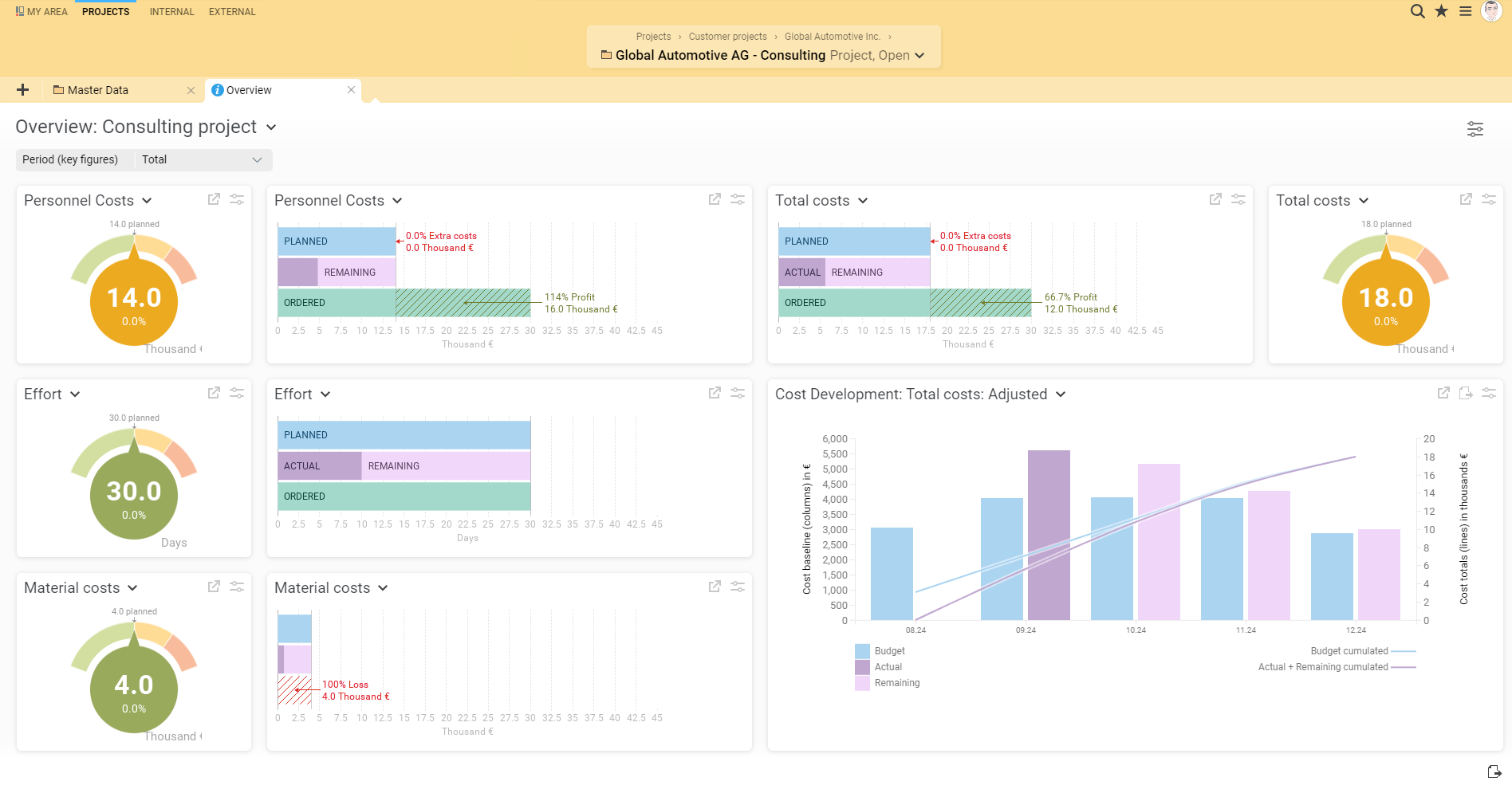
Integrated PSA software makes this easier by linking project planning, time tracking, and financial data. In BCS, project managers can review planned, actual, and remaining effort and spot deviations early.

Stefan Popp

Managing Director, Flexus AG

With BCS, we brought our project, service delivery, and billing processes together using shared data, from cost estimation and quoting through time tracking and invoicing. What matters most to us is that sales, project management, and billing now work together using the same master data, projects, orders, and time entries.

How to Bill for Managed Services and Support

Many IT service providers take on client projects with defined end dates and also handle ongoing tasks such as

System monitoring

Maintenance

End-user support

Operating IT infrastructure

Providers deliver these managed serviceson an ongoing basis, often for a flat fee. They need to keep those services profitable over longer contract terms.

Define contract scope, response times, and pricing

For each service agreement, specify which services the flat fee covers, how long the included hours are valid, and how you charge for overages. Decide whether unused hours expire or roll over to the next period.

Service-level agreements (SLAs) and billing rules serve different purposes.

An SLA can specify how quickly your team must respond to a critical incident.

The billing rule determines whether the flat fee covers the work, whether it counts against the included hours, or whether you bill for it separately.

The same incident can be equally urgent for two clients and still be billed differently.

Link support hours and usage data to the right accounts

Each ticket should show which client the work was for, which contract applies, and how the work was classified for billing.

A logged hour can fall into any of these categories.

Covered by a flat monthly support fee

Counted against an agreed block of hours

Billable as approved additional work

Recorded as nonbillable internal work

Track both included and nonbillable hours. They use staff capacity and affect the profitability of the service agreement.

Usage-based billing also requires a clearly identified data source and a defined billing period. If you bill by user account, for example, specify whether you count all accounts that were active during the month or take a snapshot on a specific date.

Define how to review late or duplicate records and which billing period to apply corrections to.

Plan service capacity and client projects together

Capacity planning gets harder when the same people deliver client projects and handle ongoing support. If you allocate all staff time to projects, you may have too little capacity for maintenance, incident response, and meeting contractual response times.

Consider both staff capacity and what the contract allows you to bill.

Service capacity. How much time should your team set aside for support, maintenance, and operations?

Billable services. Which services does the agreed flat fee cover, and which can you bill separately?

Integrated PSA software supports both decisions. It lets you account for service workloads in resource planning and review the work performed to assess actual costs.

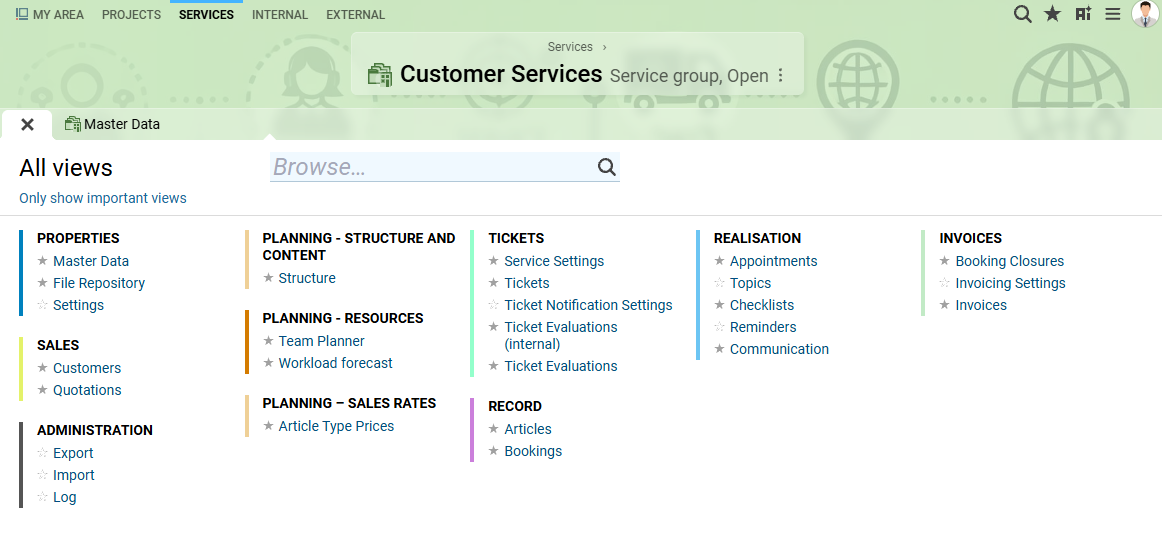
In BCS, the Services workspace connects ongoing service delivery with capacity planning, time tracking, and profitability analysis. You can plan for ongoing services and see how much capacity remains for new client projects.

What Goes on the Invoice? A Billing Example

An IT service provider implements an interface for a client and then takes over ongoing support. The client formally accepts the implementation in the same month.

The flat monthly support fee is €950 and includes five hours. The provider bills approved hours beyond those five at €120 per hour.

All figures are hypothetical and exclude VAT.

ServiceMonthly activityAmount billed
Fixed-price interface implementation 40 hours planned, 42 hours logged. The client accepted the implementation. €4,800
Monthly support 7.5 hours logged against support tickets. The flat fee covers five hours. €950
Support overage 2.5 hours beyond the included hours were approved for billing. €300
Monthly total Fixed price + flat support fee + 2.5 × €120 €6,050

This example shows the difference between logged hours and billable work.

The two extra project hours raise internal costs. The agreed fixed price keeps the invoice amount the same, so the extra hours reduce project profitability.

The five included support hours still appear in the record of work performed, and the flat fee already covers them. Only the 2.5 approved hours beyond the included hours appear as a separate invoice line item.

Whether project work and services appear on one invoice or separate invoices depends on your agreement with the client and your billing process.

What happens if you correct a time entry later?

If half an hour of support actually belongs in the previous month, seven hours remain in the current month.

Under the same contract terms, billable support overage drops from 2.5 hours to 2 hours, reducing the charge from €300 to €240.

For the previous month, check separately whether the included hours still cover that half hour and how the correction affects any invoice you have already issued.

Integrated PSA software keeps time entries, the services they apply to, and billing data linked. This lets the people responsible verify why time was logged, whether they can bill for it, and how changes affect the invoice.

How items Bills for Projects and IT Services (Case Study)

The case of items GmbH & Co. KG shows how an IT service provider uses integrated PSA software in its day-to-day work. The company has used BCS since 2011 to plan and deliver client projects, plan resources, and bill for a range of IT services.

Alongside client projects, items provides ongoing support and gives clients access to data center resources. BCS brings together time entries and usage data for billing. It works with an external ticketing system and SAP.

Client projects from quote to order

In the past, items prepared quotes in a separate system. Because that system had no connection to BCS, staff had to reenter some project details manually once clients placed their orders. This created extra work, made it harder to plan resources across the entire process, and led to errors.

In late 2020, items moved quote preparation to BCS and redesigned its workflow from initial project planning through order placement. Since then, the team has prepared quotes only after planning the projects they cover. Sales and project managers coordinate resource needs early.

Elisabeth Königshofen from the project management office at items describes what changed.

Elisabeth Königshofen

Project Management Office, items GmbH & Co. KG

This was a real breakthrough for us because it solved several problems at once. We now follow a strict rule in BCS: “Plan first, then quote.” We’re required to plan the project before preparing a quote, and BCS enforces that rule. That has eliminated the need to reenter project details manually after an order comes in, along with the extra work and errors that caused.

During initial project planning, items accounts for implementation timelines and identifies the staff or placeholders needed for the work. The sales team then takes responsibility for the commercial terms of the quote.

When a client places an order based on a quote, BCS automatically assigns an order value to each reviewed quote line item as the basis for later billing. This eliminates manual transfers between systems and makes it easier to track quote versions, order status, and planned resource utilization.

Ongoing IT services from ticket to invoice

For support, items continues to use an external ITIL-aligned ticketing system. The team uses it to handle support requests in line with each client’s service-level agreement.

BCS imports the ticket details it needs for time tracking through an integration. To simplify time tracking, items uses a dedicated time entry form. Staff enter the ticket number, and BCS automatically finds the corresponding task.

This lets staff log their hours against the right support request as soon as BCS identifies the task.

Alongside labor and materials, items also bills for data center services based on usage. These include storage, databases, and user accounts. An integration automatically transfers the usage data to BCS for invoicing.

In the case study, Königshofen explains the benefits of billing for different IT services in one system.

Elisabeth Königshofen

Project Management Office, items GmbH & Co. KG

BCS lets us bill for these projects in one place, with a clear overview and little administrative effort. It also gives us several ways to bill for services we provide to clients under service agreements outside of project work. We can bill for those services as one-time charges, on a recurring schedule, or on specific dates.

Once BCS invoices the services, it transfers the billing data through an integration with SAP. SAP uses the data for Profit Center Accounting and Cost Object Controlling.

BCS connects service delivery and billing

The case study shows how BCS supports IT service providers that offer different types of services. Project planning, quote preparation, time tracking, and billing all use the same data. BCS also brings in support work from the ticketing system and usage-based line items from data center operations.

This setup lets items keep its existing ticketing system and continue processing billing data in SAP. BCS links the work performed to the billing process.

When choosing PSA software, other IT service providers can look for a solution that works with the specialized tools they already use. The priority is to bring together data on clients, orders, services, and billing while keeping it clear how those records relate to one another.

What to Check Before Sending an Invoice

Before billing for client projects and ongoing services, make sure each invoice line item is traceable and linked to the right records.

Check where the quantities and prices come from, which contract terms apply, and whether you have all required approvals.

QuestionWhat to look for
Does the service match the correct order or contract? The project, ticket, or usage record is linked to the right client and the applicable agreement.
Can you bill for the service in this period? The client has accepted the milestone, the work has been approved, or the scheduled billing date has arrived.
Are the quantity and price correct? You can verify the rate, the included allowance, and the quantities already billed. The flat fee is the only charge for the hours it covers.
Can you explain the line item? If the client asks, you can find the record of work performed, the time entry, or the usage measurement, along with the applicable pricing rule.

Check Profitability, Too

Careful billing helps prevent invoice errors. The data behind those invoices also helps you assess how profitable your services are.

For fixed-price projects, compare planned, actual, and remaining effort. For services billed at a recurring flat fee, compare what the agreement covers with the effort it actually takes to deliver those services.

This helps you spot service agreements that consistently require more support capacity than you estimated. Use that information to review actual costs and prepare for future contract negotiations.

Integrated PSA software makes this analysis easier by bringing service delivery and financial data together in one system.

What to Look for When Choosing PSA Software

The right PSA software for your IT business depends largely on the services you offer.

An IT consulting firm that mainly handles projects with defined end dates needs reliable tools for project planning, effort estimation, and invoicing.

A managed service provider also needs to handle recurring contract line items, ongoing support, and, where applicable, usage data.

If you offer both, it’s especially important to plan resources and staff capacity across projects and services.

Interactive PSA Software Assessment

How well do your current systems support your project and service work? Answer seven questions to find out what to look for when choosing PSA software.

One Integrated Platform or Multiple Specialized Tools?

IT service providers can keep using specialized tools for ticketing, monitoring, or financial accounting where those tools work well.

Make sure these systems exchange data reliably and preserve the links between related records.

An integrated PSA and ERP solution is especially useful when staff across multiple departments need access to the same information. It lets teams manage projects, resources, clients, work hours, and invoices using shared data.

When evaluating software with a vendor, walk through a typical workflow from client order to service delivery and invoicing. Ask which steps the software supports out of the box, what you can configure, and where you would need custom integrations.

BCS as PSA Software for IT Service Providers — From Project Planning to Invoicing

BCS, developed by Projektron, combines core PSA features with comprehensive ERP capabilities. IT service providers use it to plan client projects, manage resources, coordinate ongoing services, track time, and bill for work performed. Project management, service management, and business operations all use the same data.

Manage projects from quote to invoice

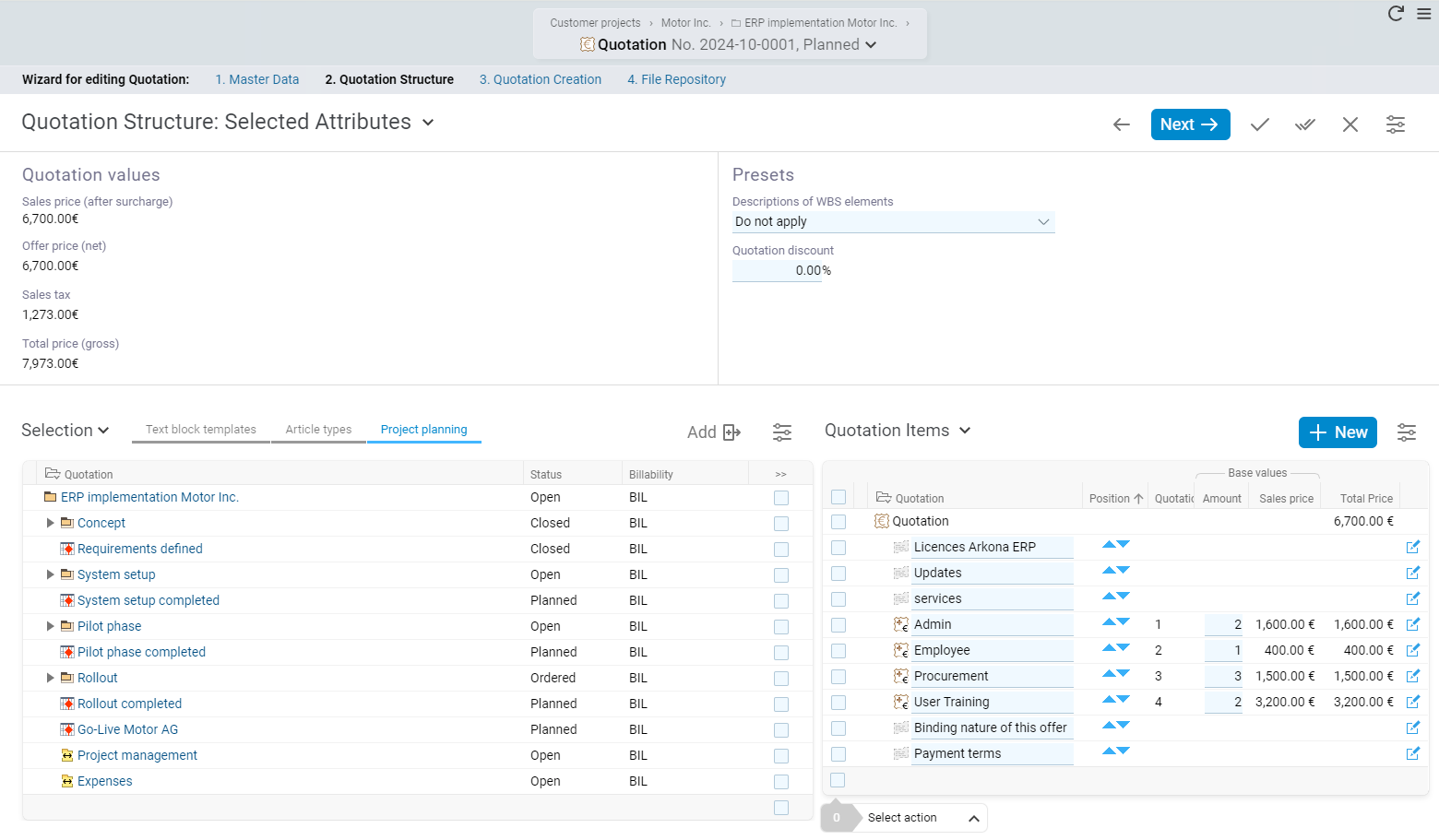
In BCS, you can create quotes based on planned tasks and work packages. Use stored hourly rates, daily rates, and item prices to estimate costs. Once the client places the order, schedule staff and other resources, track work hours, and monitor project progress.

Project managers compare planned, actual, and remaining effort to spot deviations early. The work you record also provides the basis for project cost tracking and later time-and-materials or fixed-price billing.

Learn more about creating quotes in BCS

Manage ongoing IT services and support

In the Services workspace, you can manage ongoing work such as maintenance, IT operations, and customer support, including after an implementation project ends.

Services provide the overall structure, service tasks organize recurring work, and tickets document individual requests or incidents. You can see who is responsible and which appointments, checklists, follow-ups, and files relate to each item.

Through the help desk and support portal, clients can submit tickets and track their status. Agreed service hours, response times, and advance warning thresholds help your team handle tickets on time.

Staff log time directly against projects, services, service tasks, or tickets. You can use those entries to document and analyze support work and bill for it where applicable.

Learn more about the Services workspace in BCS

Plan capacity for projects and services together

BCS combines client projects and ongoing services in a single resource plan. You can set baseline capacity requirements for recurring support and reserve additional capacity for work with a defined end date. You can also include staff groups and placeholders in the plan.

This shows how much staff capacity remains for client projects after accounting for planned service work. Support budgets also help you compare the agreed scope of services with the effort it actually takes to deliver them.

Bill for services and review profitability

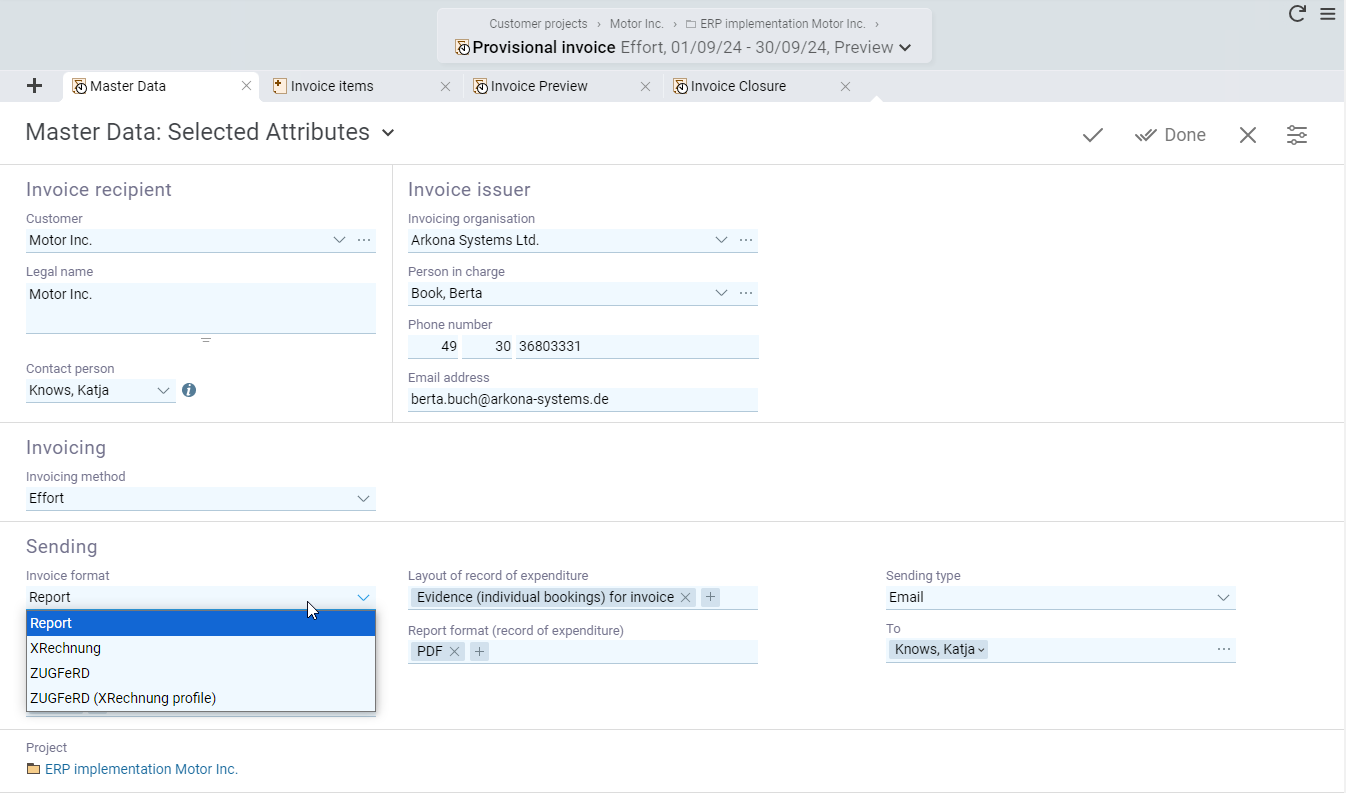
BCS links client and order data from the CRM with items, services, and logged work hours. Use this data to create records of work performed and generate time-and-materials and fixed-price invoices. The invoice generator also supports recurring invoices.

For accounting, BCS offers a DATEV export. BCS supports electronic invoices in XRechnung and ZUGFeRD formats.

Whether you can automate client-specific billing rules, such as charging for hours beyond those covered by a flat service fee, depends on the contract model and how BCS is configured.

Learn more about invoicing in BCS

PSA Software for IT Service Providers: FAQ

What is PSA software for IT service providers?

PSA stands for Professional Services Automation. PSA software helps IT service providers plan, manage, document, and bill for the services they deliver. It connects project management, resource planning, time tracking, ticketing, client orders, and invoicing. BCS combines these core PSA features with additional ERP capabilities.

Who benefits from PSA software?

PSA software is especially useful for IT service providers, systems integrators, IT consulting firms, and managed service providers that manage and bill for both client projects and ongoing services. Month-end close is a common example, especially when staff reconcile time entries, tickets, orders, and contracts manually across multiple systems.

Is every hour logged against a support ticket billable?

A time entry records the work performed. Whether you can bill for that hour separately depends on the service agreement and any required approval. The hour might be covered by a flat fee, count against an agreed block of hours, or qualify as a separate charge for additional work.

Can you bill for fixed-price projects and managed services for the same client?

Yes. Set separate pricing and billing rules for the fixed-price project and the service agreement. For example, you can bill for the project on an agreed date or upon acceptance and invoice the ongoing service monthly. Whether you combine the charges on one invoice depends on your agreement with the client and your billing process.

How does PSA software help with resource planning for IT support?

PSA software lets you plan staffing for ongoing services alongside project work. You can see how much staff time is set aside for support and maintenance and how much remains for client projects. In the BCS Services workspace, you can plan baseline capacity requirements and temporary capacity allocations.

What is the Services workspace in BCS?

The Services workspace brings together ongoing support, maintenance, and IT operations. IT service providers can link service tasks and tickets to the relevant services, plan capacity, log time, and use those entries for reporting and billing. This gives teams a way to manage ongoing services after a client project ends.

How does PSA software differ from ticketing, RMM, and ERP systems?

A ticketing system helps teams track and handle support requests. Remote monitoring and management (RMM) tools monitor and manage IT systems. PSA software links services delivered to projects, orders, contracts, time entries, and billing. An ERP system for service providers can cover these processes and add broader business management features. BCS combines core PSA features with comprehensive project management and ERP capabilities.

Can I keep my existing ticketing or financial accounting system?

Yes, as long as the systems can exchange the required data through integrations or imports and exports. For support work, check how the systems exchange ticket IDs, client and contract references, and links to time entries. For financial accounting, decide which invoice data to transfer and how to track corrections. The items case study shows how BCS works with an external ticketing system and SAP.

About the Author

Kai Sulkowski is an Online Marketing Manager at Projektron GmbH in Berlin. As an IPMA-certified project management professional, he focuses on how companies plan and manage client projects and use integrated business software. He draws on years of editorial and SEO experience to explain professional services automation (PSA), resource planning, and the business processes behind IT service delivery and billing in clear, practical terms.

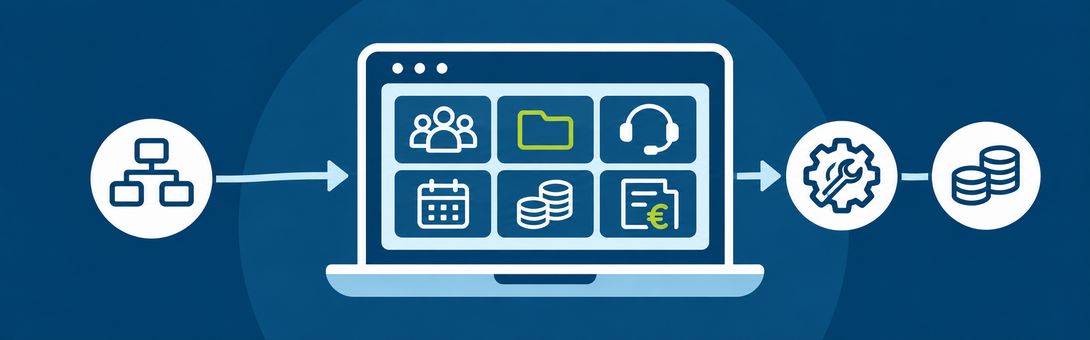
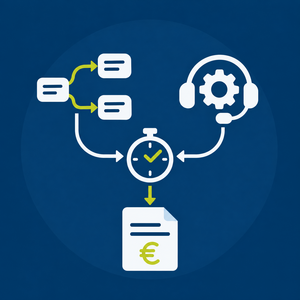
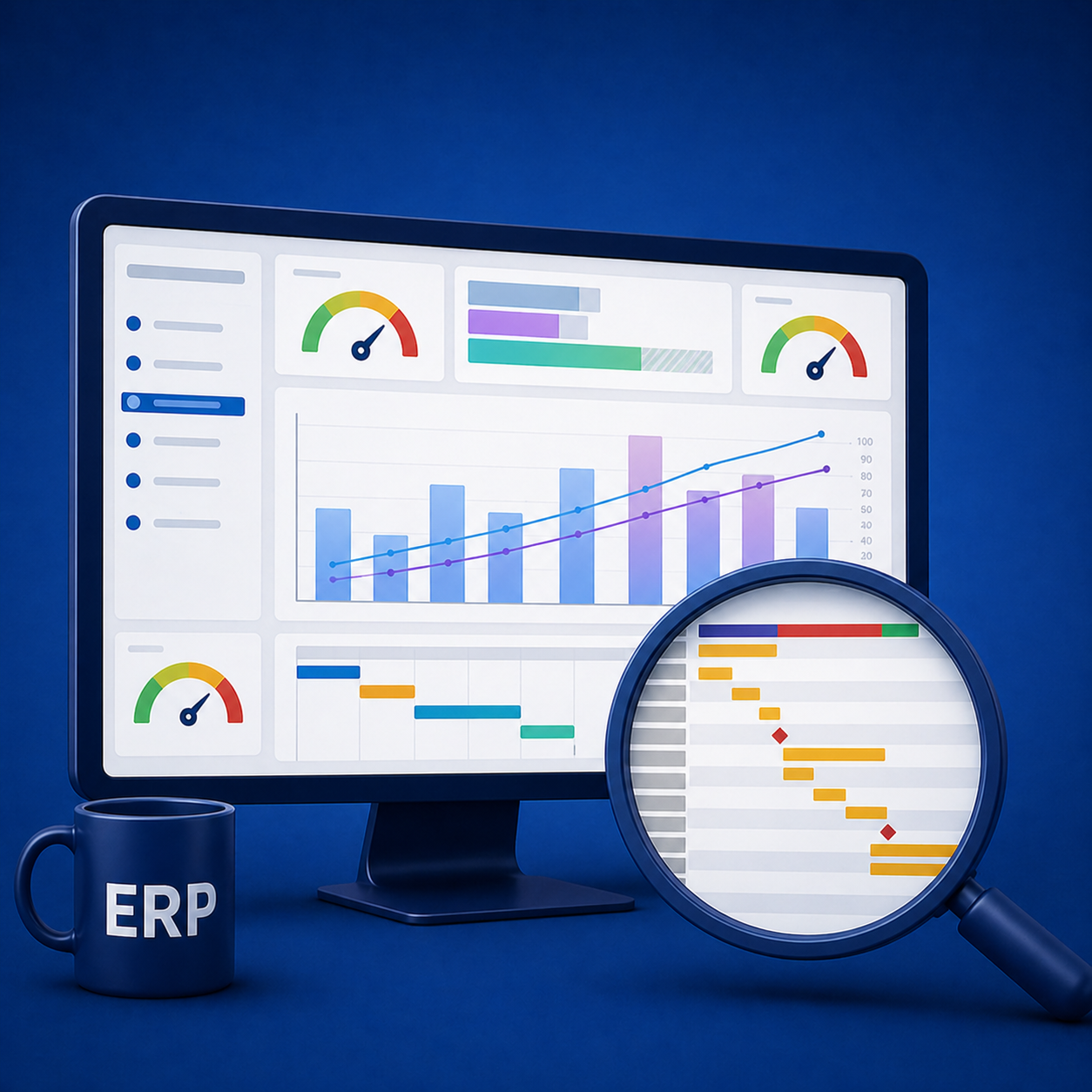
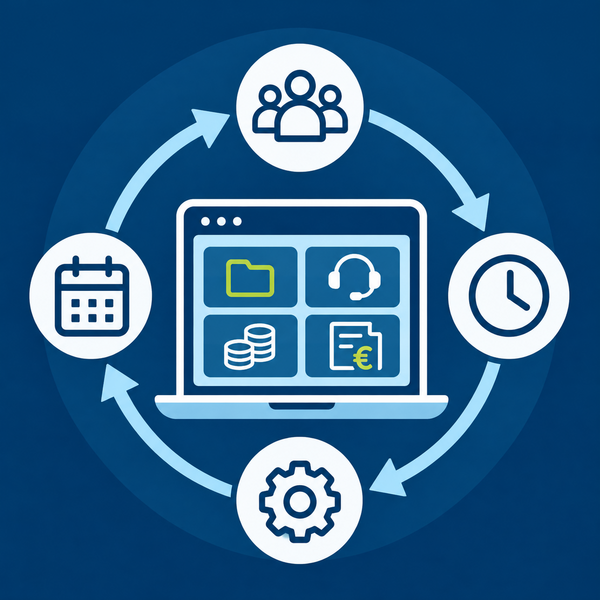
Illustration of integrated Professional Services Automation software for IT service providers. The central platform connects project management, resource planning, service management, time tracking, and billing.

Illustration of integrated Professional Services Automation software for IT service providers. The central platform connects project management, resource planning, service management, time tracking, and billing.