Ticketing & Services

Ticketing system for project work, customer service, and service management

With BCS, you organize project work, customer service, and long-term services on a shared data foundation. The ticketing system structures internal tasks and project-related requirements, while the support portal and help desk bundle customer requests and communication, and the Services workspace supports support, maintenance, and service activities beyond the initial project. This keeps the entire customer relationship connected, from the start of the project through ongoing support and service relationships to long-term maintenance contracts and recurring services. As project management and ERP software from Germany, BCS links tickets, customers, resources, time tracking, quotes, and invoices.


Ticketing & Services for three use cases

Support portal & Help desk

Process customer requests in a structured way

Customers submit questions, incidents, and change requests through their own support portal. Your employees process the tickets in the internal BCS, document communication and processing times, and keep track of priorities and responsibilities.

Benefit: Customers receive a transparent communication channel, while your support team processes all relevant information centrally in BCS.

Ticketing system for project work & collaboration

Structure work and coordinate teams

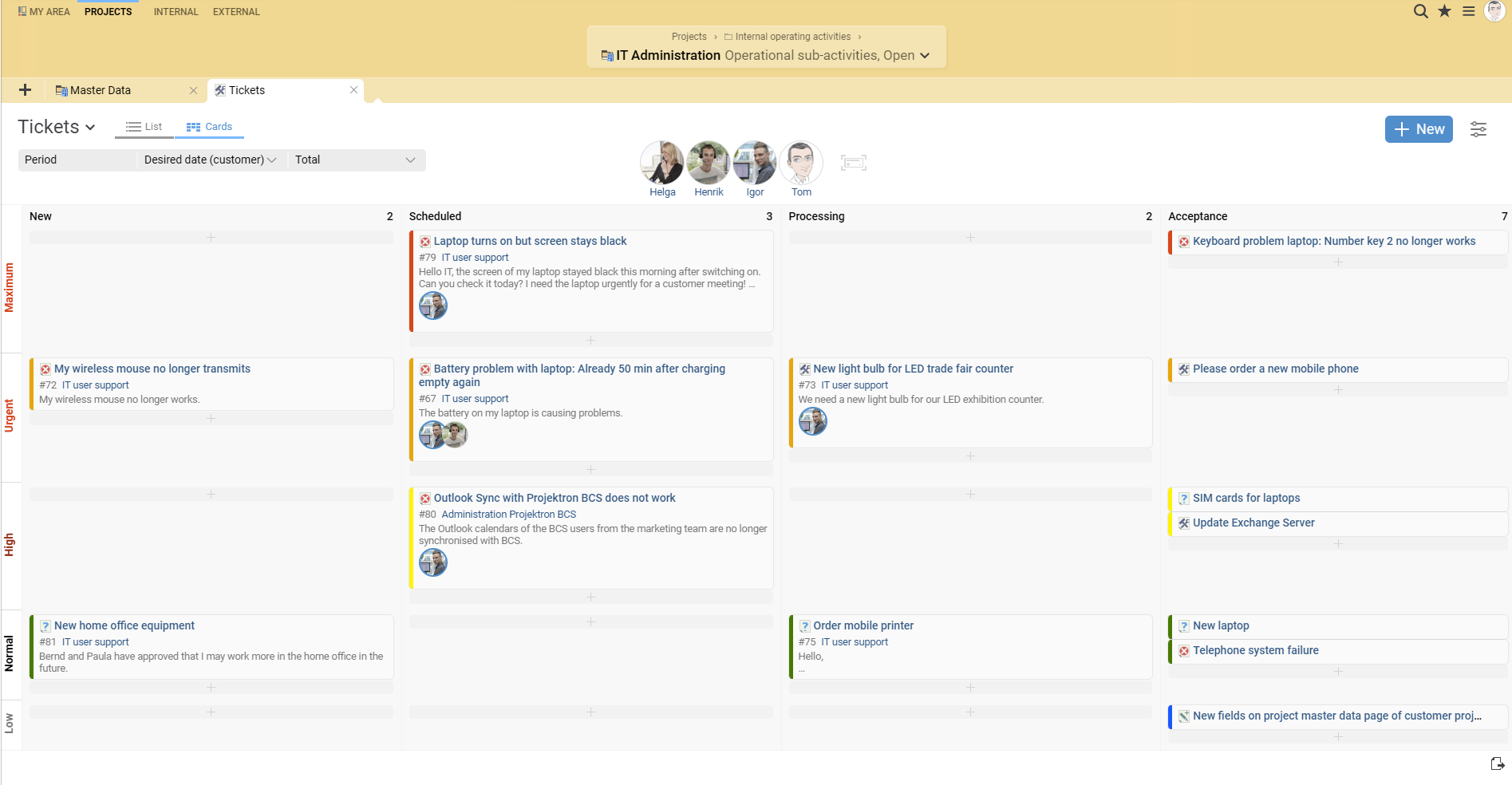
Internal tickets support project teams with change requests, open items, and specific work assignments. Employees assign tickets to projects and tasks, prioritize them, and track their progress, for example on the Kanban board.

Benefit: Requirements and open items become clearly assigned work orders whose processing status remains transparent to the entire team.

Services

Organize support, maintenance, and operations over the long term

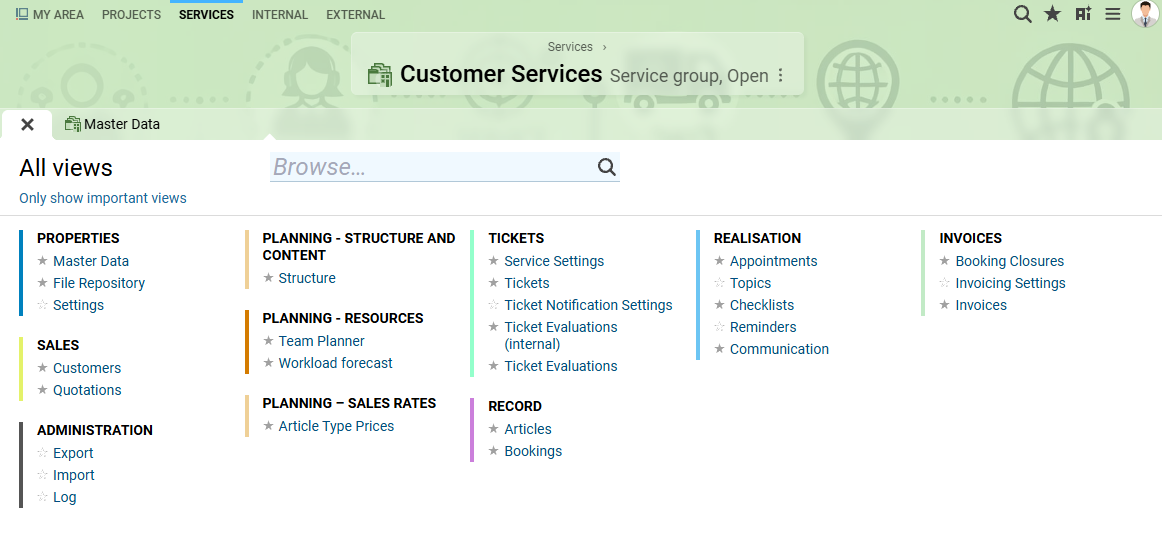
Projects end, but many services continue. In the Services workspace, BCS organizes recurring or continuously provided services independently of time-limited project business.

Benefit: Support, maintenance, and operations receive a permanent organizational framework without having to model them artificially as endless projects.

GetApp ReviewsGetApp BadgeTrusted BCS sehr gutCapterra ReviewsOMR - Rating WidgetOMR - Badge

Ticketing system for customer service, support, and help desk

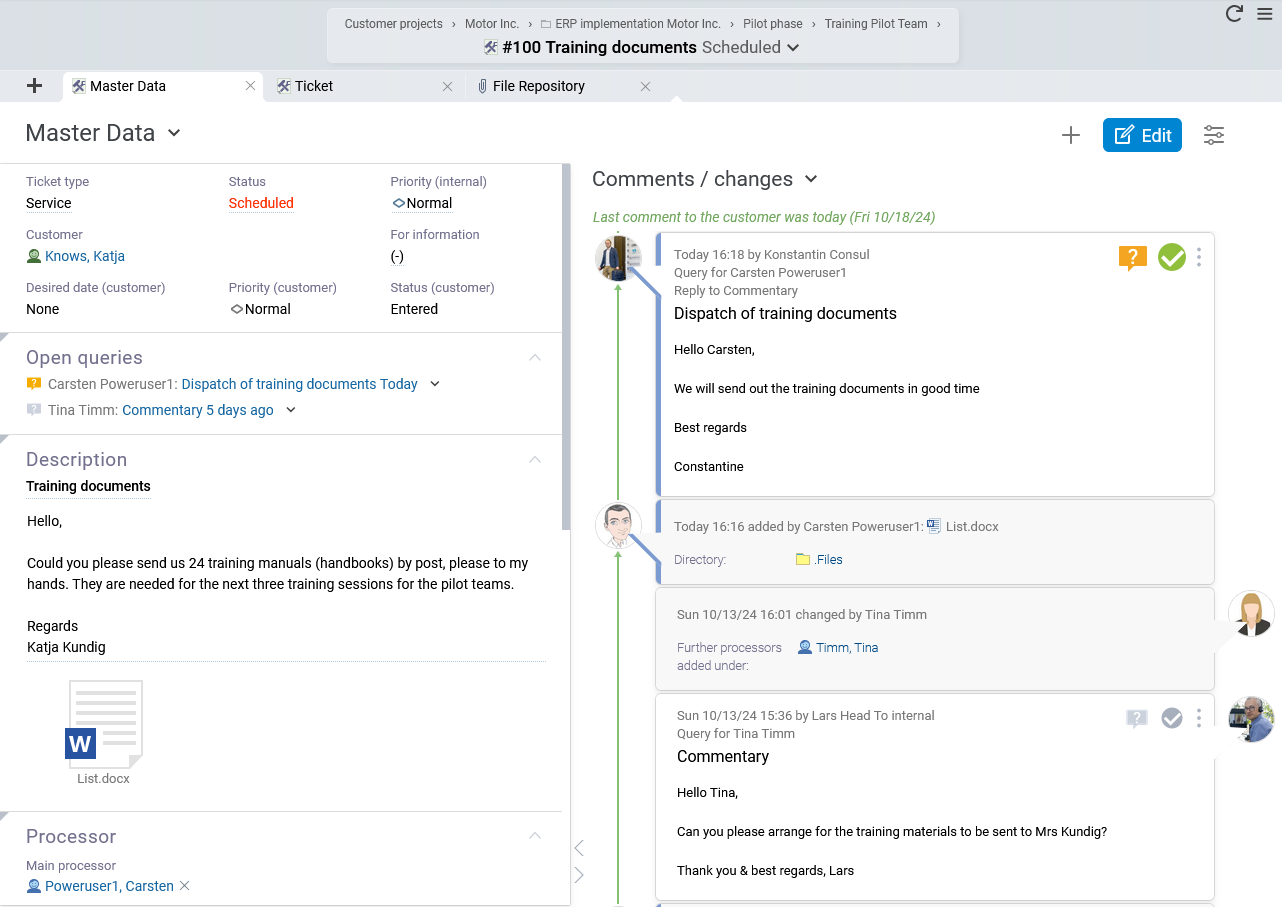
Customer service begins with a request, but it does not end when that request is answered. Responsibilities must be clarified, information documented, response times met, and services performed tracked. The BCS ticketing system brings this process together in one central case. Questions, incidents, and change requests are assigned a clear processing status. Comments, files, time entries, and processing steps remain documented on the ticket and are available to authorized employees.

Customer login for direct and transparent requests

Through their own customer login, your customers can submit questions, incidents, and change requests directly as tickets. This gives them a central channel for new customer requests regardless of your support hours. Your employees see incoming requests directly in BCS and process them there together with the internal information related to each case. Customers, in turn, can track the status of their tickets and gain a transparent overview of how their requests are being processed.

If you use the integrated customer relationship management (CRM), communication related to each customer also remains traceable. This means that an individual support request becomes part of the complete customer history.

Benefits for your employees and customers:

customers submit requests in a structured way

new tickets are collected centrally in the system

processing statuses remain transparent

customer and ticket information remain connected

less parallel communication across different channels

Provide an external support portal for customers

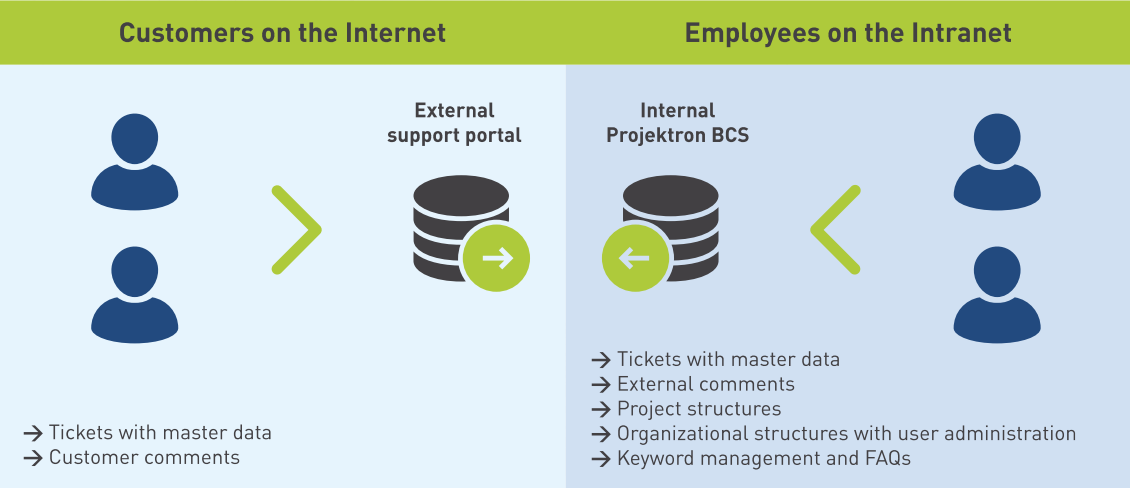
For a clearer separation between internal processing and external customer communication, BCS provides an external support portal. Customers work in a separate support system where they submit tickets, add comments, or provide files. Your employees continue to process the cases in the internal BCS.

Between the two systems, BCS selectively synchronizes the information intended for collaboration. Internal processing information remains in the internal system, while customers only see the data intended for them. Files can also be exchanged between the internal BCS and the support portal. The synchronization status on the ticket shows your employees whether the information has been successfully synchronized between the two systems. This allows you to combine convenient customer service with a clear separation between internal and externally visible information.

The support portal is particularly suitable if you want to:

provide customers with their own support channel

clearly separate external and internal ticket information

exchange projects, tasks, and tickets with customers

provide files securely in the relevant context

keep customers transparently informed about processing status

Manage priorities, service times, and escalations

Not every customer request is equally urgent. BCS helps your support team prioritize open requests effectively based on:

ticket type

priority

ticket score

requested date/deadline

response time

escalation level

BCS maps defined service and response times and helps you comply with agreed service conditions (SLAs). Early warning levels draw attention to critical deadlines before they are reached. A configurable ticket score also enables consistent evaluation of open requests. This allows employees to quickly identify which tickets require increased attention and which request should be processed next.

BCS also keeps communication directly linked to the ticket: When relevant changes occur, the system notifies the designated recipients by email. If customers or employees reply to a ticket notification, BCS adds the message back to the corresponding ticket history. File attachments also remain associated with the case. This keeps communication traceable without important information being stored only in personal inboxes.

Use knowledge, AI, and analytics for better support

With every ticket processed, your support team’s knowledge grows. BCS helps make this knowledge permanently available.

Employees use full-text search and filters to find existing tickets, apply keywords, and link related requests or duplicates. Particularly relevant comments can be marked as relevant to the solution. Proven answers can then serve, for example, as the basis for FAQ entries.

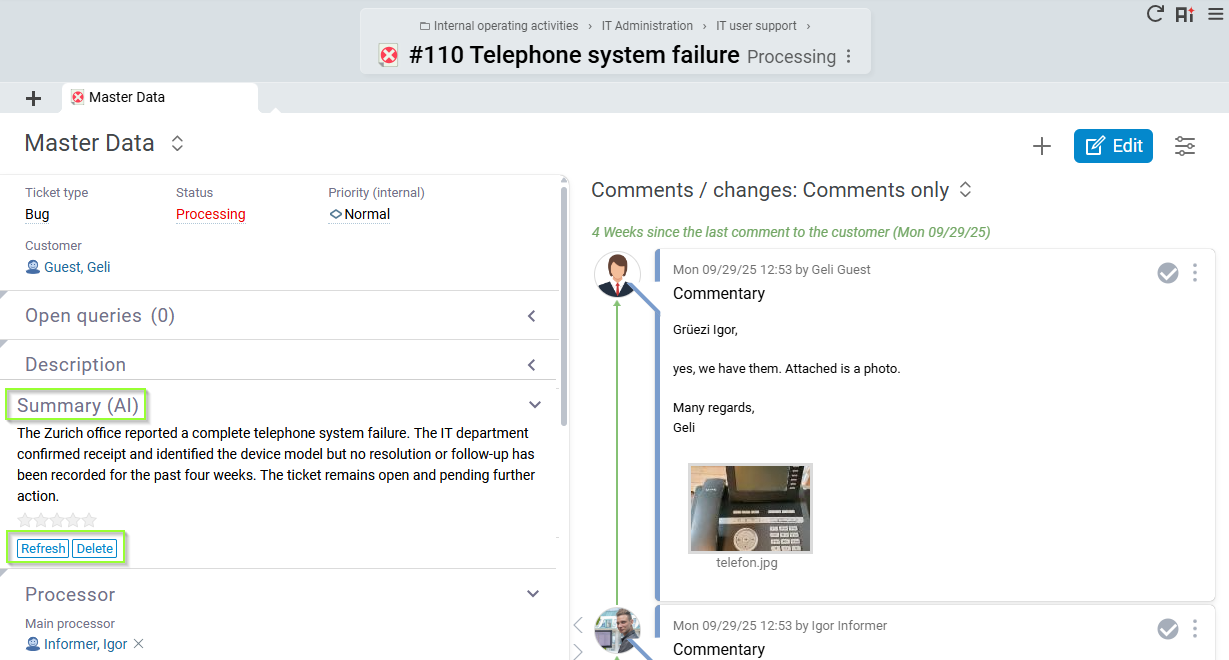
In addition, Artificial Intelligence in BCS helps employees understand extensive ticket histories more quickly. The available AI ticket summary condenses the subject, description, and comments into a concise overview of the issue, current processing status, and previous history. Especially during handovers, escalations, or long-running cases, this reduces the time employees spend reading and searching. When new tickets arrive, BCS searches for similar tickets that have already been processed and uses them to create an initial AI-assistedresponse suggestion that the agent can further refine.

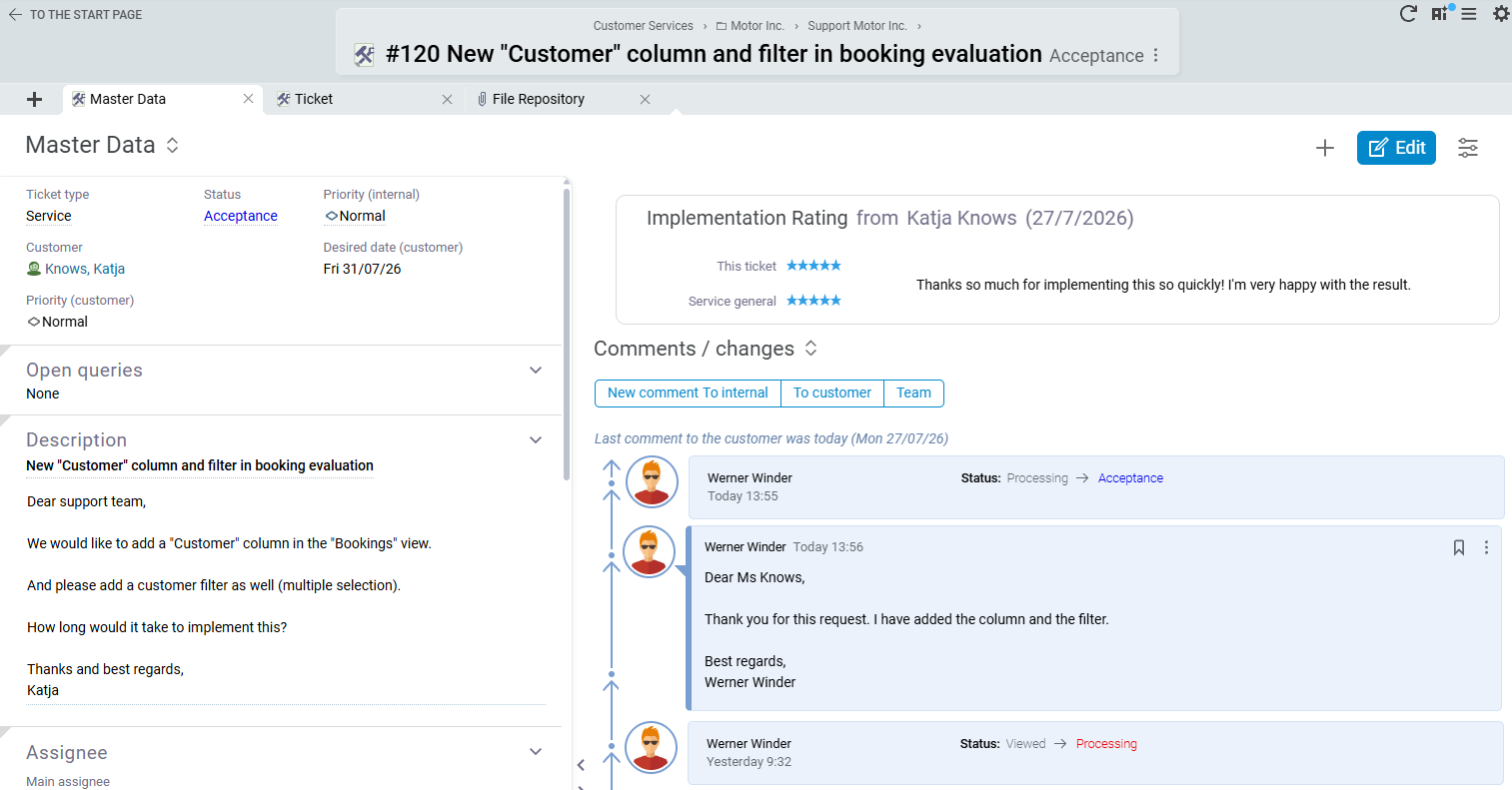
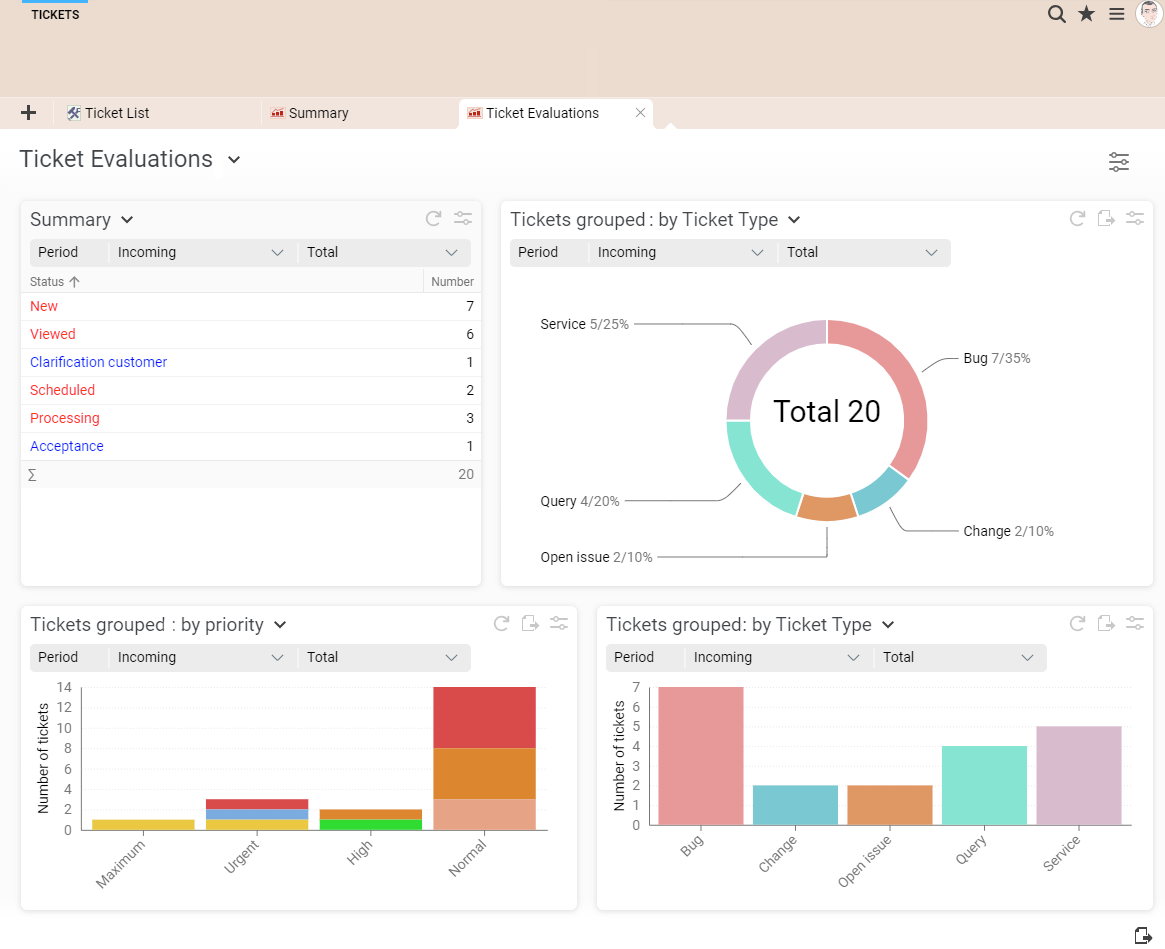
After a ticket has been closed, customers can also rate their satisfaction and leave a comment. BCS makes this feedback available together with additional ticket metrics in lists and reports. Customers can view reports on their external tickets.

Support management, customer service, and executive management can use this information to answer questions such as:

How is our ticket volume developing?

Where do particularly high processing efforts occur?

Which types of requests occur frequently?

How do customers rate our services?

Which customers or topics require action?

Customers can view reports on their external tickets.

Achim Habbel

Achim Habbel

Managing Partner | Alfha GmbH & Co. KG

Because we are very impressed with the BCS support portal ourselves, we decided to offer our customers a support portal through BCS as well. To do this, we set up a dedicated BCS support server that authorized customers can access. Approved projects, including their tasks and external tickets, are automatically synchronized between our internal production system and the support system.

Linus Hogrebe

Linus Hogrebe

Project Manager | Airport Research Center GmbH

Through an external support portal, our customers can conveniently submit new requests or check the current status of their requests.


Ticketing system for project work and collaboration

In BCS, tickets are not limited to customer support. Project teams also use them for work organization, collaboration, and the structured processing of specific tasks. Change requests, open items, internal services, or smaller work steps can thus be assigned a clear owner, status, and priority. Everyone involved works with the same information and can see which tasks are pending and how far their processing has progressed.

Structure project work with internal tickets

Within a project, teams can use tickets to further break down tasks and organize specific work assignments.

A ticket can bundle, for example:

task and description

responsible persons and participants

status and priority

deadlines and follow-ups

comments and follow-up questions

documents and files

checklists

recorded processing times

This makes the ticketing system suitable for change requests, open-item lists, internal services, or smaller work assignments within a larger work package, among other use cases. Project managers and work package owners can maintain an overview even when many activities are running in parallel, while each employee can see at a glance which tasks have been assigned to them.

Collaborate on tickets using the Kanban board

For visual work organization, BCS displays tickets as cards on a Kanban board. Teams can immediately see which tickets are still open, which are currently being processed, and which have been completed. Priorities and processing statuses are directly visible.

This also makes the ticketing system suitable for day-to-day collaboration across departments and locations. Employees communicate directly on the ticket, ask follow-up questions, document work steps, attach files, process tickets, and change the processing status by moving them to the appropriate column.

Workflows and checklists provide additional support for recurring processes. Information remains directly linked to the task instead of being scattered across emails, chat messages, files, and personal notes.

From ticket to project task or user story

Some tickets grow beyond a single request as they are processed. If a ticket develops into a more extensive project task, BCS transfers important information such as the subject, description, and already recorded processing times to the new task. The team can then continue working with the full range of project execution functions.

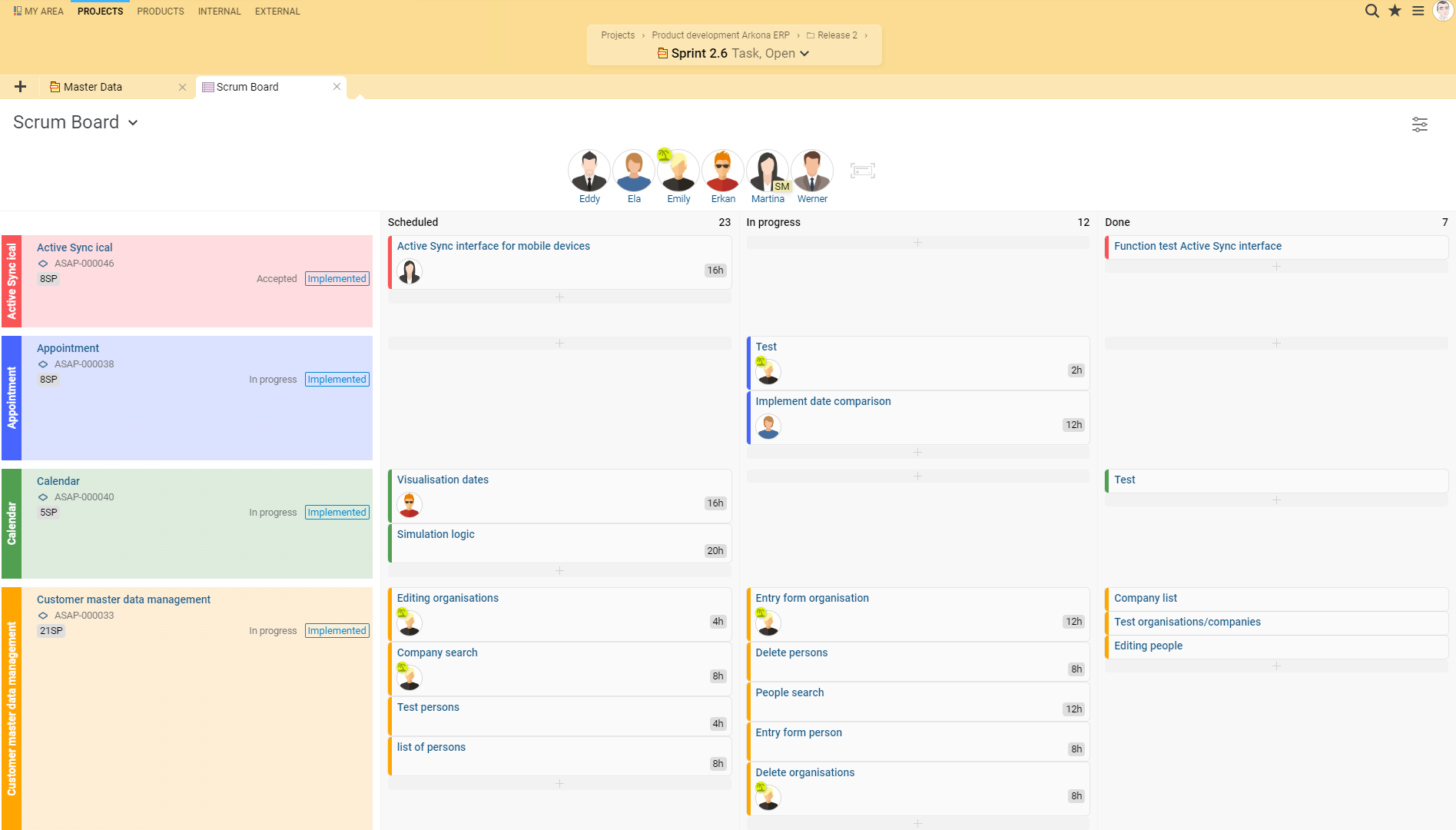
For agile product and software development with Scrum, another path leads from the ticket to a user story. If, for example, a customer request results in a new feature request, the team converts the case into a user story and assigns it to the Product Backlog. BCS retains the link between the original ticket and the new user story. This makes it possible to trace which request gave rise to a requirement. Existing user stories, epics, and requirements can also be linked to tickets.
This creates a continuous flow of information from a customer or internal request through a ticket and a project task or user story to operational implementation and billing.

Document processing times and track services

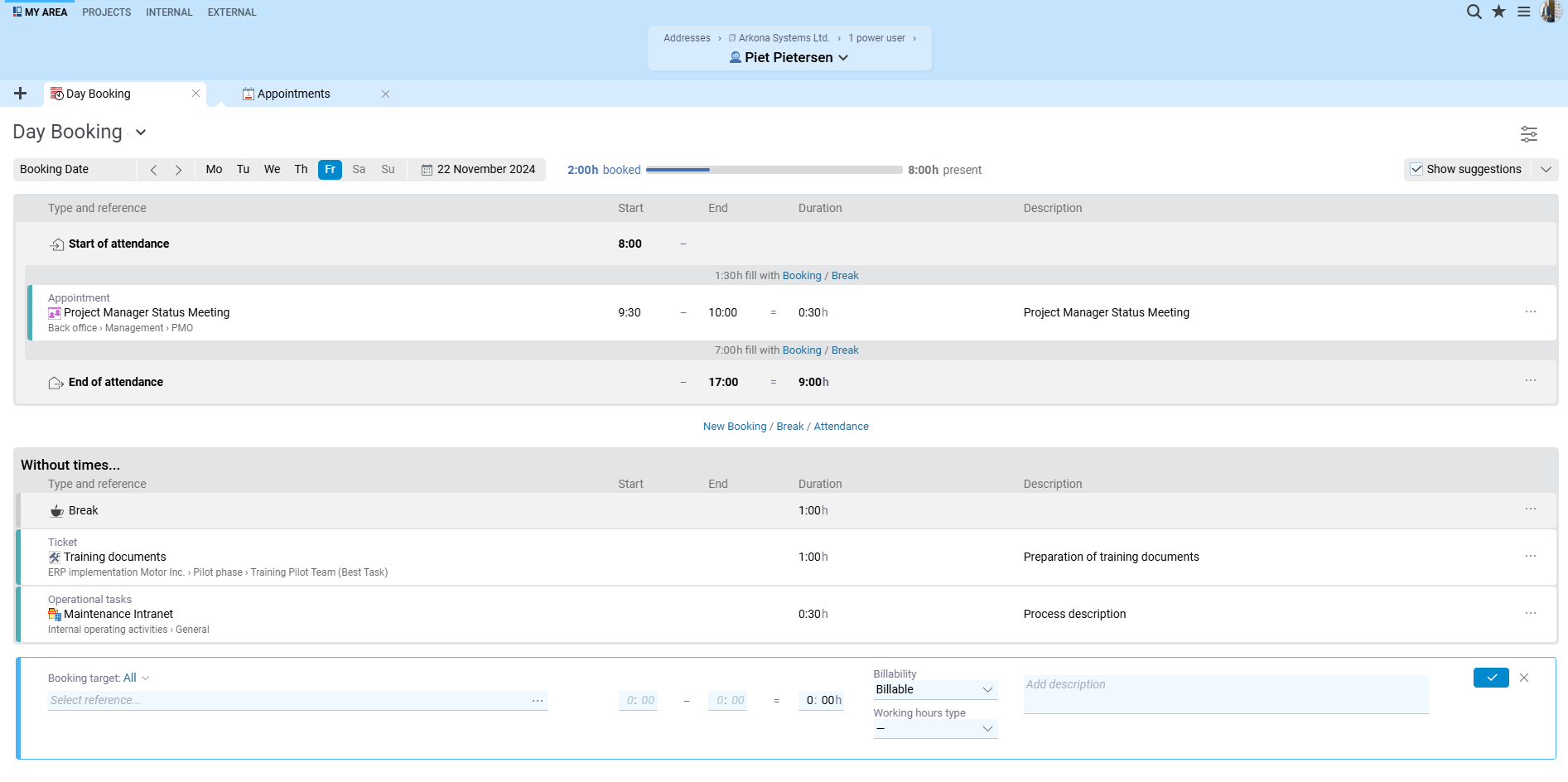
Employees record their working time directly on the ticket. This makes it possible to track the actual effort required for a specific task, request, or change. The recorded time does not remain isolated in the ticketing system but flows into BCS’s broader project and ERP processes. Project management and controlling can analyze planned versus actual effort and evaluate services performed.

For billable activities, the documented time also serves as a basis for subsequent invoicing. In this way, BCS connects operational ticket work with project controlling and commercial processing.

Oliver Regelmann

Oliver Regelmann

Authorized Officer and Team Lead Infrastructure & Collaboration | n-komm GmbH

For us, however, the most important operational area is the ticketing system. We use it internally and externally, including with customer access. This is a key advantage for our support work: customers can submit requests in a structured way, agents can take over, forward, and document tickets, and we always maintain an overview of status, responsibilities, and history.

Nina Belau

Nina Belau

Project Management, Central Development | Viscom AG

Among other things, we use the ticketing system internally for IT requests and now have a good overview, excellent tracking, and useful reporting.


Service management for support, maintenance, and operations

Projects pursue a defined objective and have a clear end. Support, maintenance, operations, managed services, and other recurring services, by contrast, often accompany customers over a long period of time.

For these services, BCS provides the Services workspace. It expands the ticketing system with an ongoing work and service context and clearly separates continuous services from time-limited project business. In this way, BCS combines project management, ticketing, and service management within a shared ERP solution.

Organize ongoing services independently of projects

A service provides the overarching context for a long-term service delivery, for example:

operation of a customer application

maintenance of a system

technical product support

managed services

recurring consulting

internal IT or administrative services

Within a service, employees structure the associated activities and service tasks. BCS clearly distinguishes between a service task and a ticket

A service task represents the overarching work and booking context of an ongoing service. 

A ticket, by contrast, describes a specific request, incident, or requirement within this service context.

Service managers, service administrators, and other participants are assigned clear responsibilities. Appointments, checklists, follow-ups, workflows, communication histories, and files remain directly linked to the service. This allows employees to see not only individual tickets but also understand at all times the operational context in which they provide their services.

Plan capacities with baseline workloads, allocations, and teams

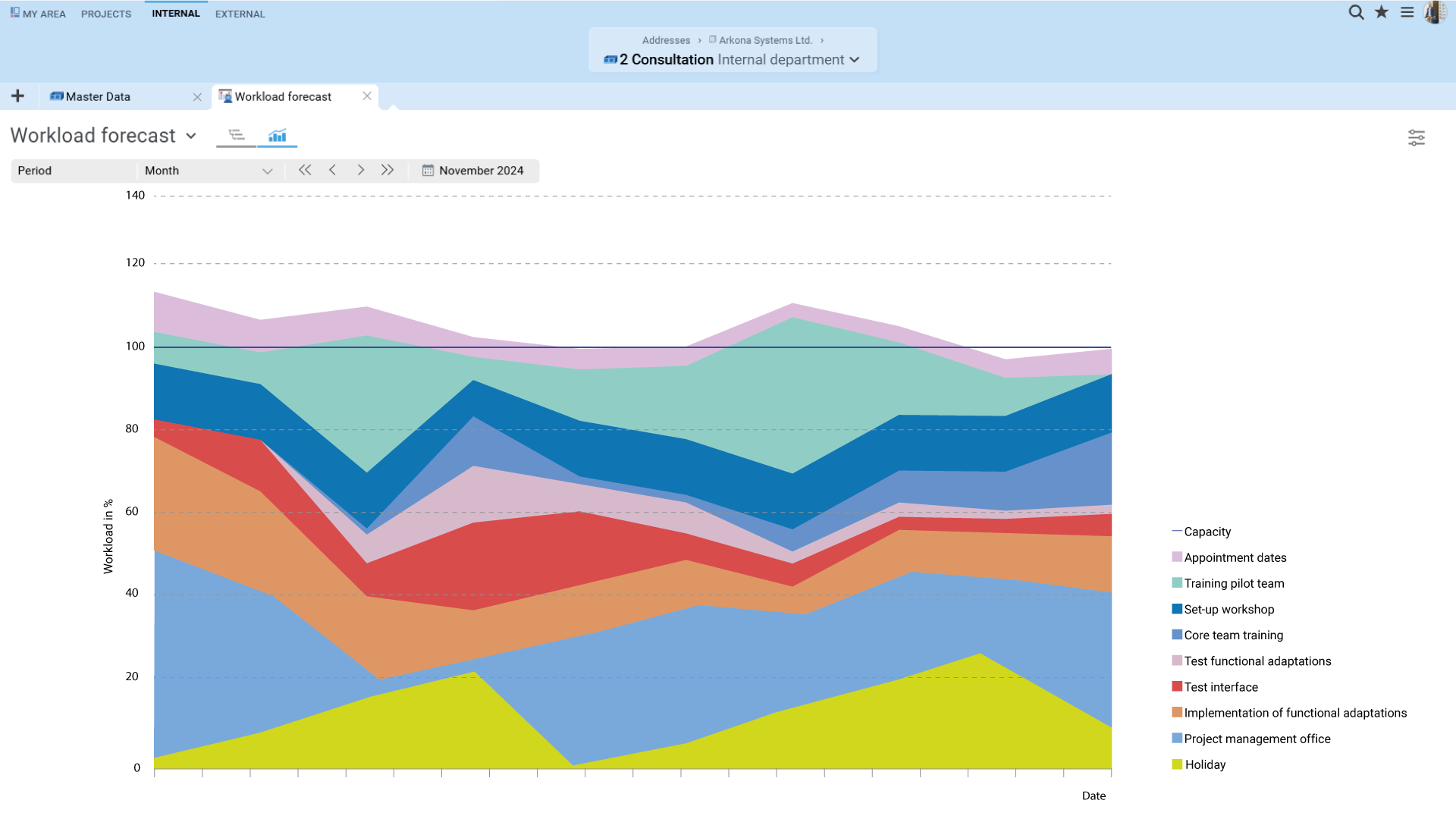
Ongoing services use capacities differently from traditional projects. While project teams plan specific work packages over a limited period, service business often creates a continuous demand. BCS accounts for such recurring workloads through baseline workloads. For example, you can plan for an employee to permanently reserve a certain share of their working time for customer support, system checks, or other operational activities.



Capacity allocations are available for additional workloads that are limited in time, such as maintenance windows, seasonal peaks, or additionally agreed support services. Capacity allocations can also serve as an overbooking restriction and prevent capacities already reserved for a service from being fully allocated elsewhere. Groups of people and placeholders support capacity planning even when it has not yet been decided which specific employee will perform the work later.

This means that project work and ongoing services are included in a shared resource planning view. Managers can identify at an early stage where capacities are already committed, where bottlenecks are emerging, and which additional services the team can take on.

Connect support budgets, time tracking, and billing

In addition to professional service delivery, a long-term service requires a transparent financial framework. Employees record their working time directly against services, service tasks, tickets, or related appointments. This allows BCS to directly link the work performed with the employee, customer, and costs incurred.

Depending on the service model, different financial parameters may be relevant: capacity allocations represent planned capacities, while support budgets represent the agreed scope of services.

BCS connects this information with additional ERP functions:

  • Customer and contact data comes from the CRM
  • Items and services are available for commercial allocation 
  • Work performed can be included in quotes, service records, and invoices

This creates a shared data foundation from the initial customer contact through the project and ongoing support to billing.

For service providers in particular, this means that project business and service business do not run in separate systems. Time entries, services, customer information, quotes, and invoices remain connected at all times through the shared data foundation.

Evaluate service quality and profitability together

Service managers need both operational and financial KPIs. BCS brings together information from ticket processing, time tracking, capacity planning, and billing. Managers can analyze, for example, how much effort individual tickets, services, or customers require and how planned and actually utilized capacities develop over time.

Reports and analyses can evaluate project business and service business separately or together. This makes it possible, for example, to see how working time and revenue are distributed between an implementation project and the subsequent support phase.

Ticket metrics and customer satisfaction are also included in the evaluation. Service management, controlling, and executive management therefore share a common basis for:

planning capacities

assessing service quality

identifying particularly resource-intensive services

tracking financial developments

comparing project business and service business

Mirko Wittek

Mirko Wittek

Senior Manager Business Applications and Processes | Leadec Automation & Engineering GmbH

In our service projects, we use the ticketing system to communicate with customers and to maintain complete documentation of project progress. BCS enables us to manage projects in a structured and transparent way across all locations.

Dr. Sven Kleiner

Dr. Sven Kleiner

Executive Board Member | :em engineering methods AG

This allows us not only to organize the processing of requests, but also to provide our customers with a precise breakdown of the work we have performed for them.


Discover BCS with no obligation

Get a personalized introduction to BCS in a free online presentation. We will show you the functions relevant to your requirements and answer your questions about project management, ERP, ticketing, support, and services. This gives you a practical impression of what the software can do before you start your BCS trial.

Book a free online presentation

Ticketing system and service management as part of the BCS ERP software

A key advantage of BCS is that the ticketing system is not isolated from project management and ERP. Tickets access the same customer, project, and organizational data as other areas of BCS. This allows you to connect operational collaboration with downstream commercial processes.


Ticketing, service management, and ERP software from Germany

BCS combines project management, ticketing, service management, and ERP functions in a Business Coordination Software solution from Germany. You can use BCS either in your own infrastructure or as a cloud solution. When hosted by Projektron, BCS runs in German data centers. This gives you more than isolated ticketing software: you get an integrated work environment for project work, customer service, and long-term services, from the initial request through resources and time tracking to quotes, invoices, and reporting.

Software Made in GermanyOMR 2026 Top RatedTÜV Rheinland ISO/IEC 27001, 27017, 27018TISAX Result availableSHiG 2026
Projektron customer service

Your contact

Projektron Customer Service

Would you like to know how you can use the ticketing system, support portal and help desk, or the Services workspace in BCS? Our customer service team will be happy to answer your questions.