03/06/2025 - Articles
Choosing project management software: 9 steps to finding the right solution
Can’t do without software anymore? Choosing project management software is a challenge for many companies, whether they are agencies, SMEs or large corporations. If you’re looking to choose project management software, you’ll be faced with a wide range of providers, features and pricing models. This guide will help you navigate the PM software market and show you, step by step, how to choose the right project management software.
A strategically well-thought-out selection is crucial, because introducing a new PM software not only incurs costs, but also has a long-term impact on the way you work. A hasty decision can lead to frustration, inefficiency and high follow-up costs. Therefore, take sufficient time for a well-informed decision.
Content
Project PMS Finder: Select project management software in 9 steps
Simply typing “best project management software” into Google and selecting the first search result is not enough. Selecting project management software (PMS for short) is a longer process that requires careful consideration, a well-thought-out strategy and deliberate evaluation.
This applies not only to large companies; SMEs, agencies and project offices should also approach the search for a suitable project management tool in a structured and careful manner so that the software can provide the desired benefits. It doesn't always have to be quick! Consider the selection of project management software as its own project, which can take up to a year and requires appropriate resources. If available in your organization, this is a task that the PMO (Project Management Office) should take the lead on.
The decision to implement new project management software is a strategic investment in the future of your organization. To increase productivity and efficiency in the long term, you should design the selection process in a structured and well-thought-out way. A systematic process helps you to avoid wrong decisions and to choose software that best suits your requirements. In addition to technical and economic aspects, you should also consider user-friendliness and scalability.
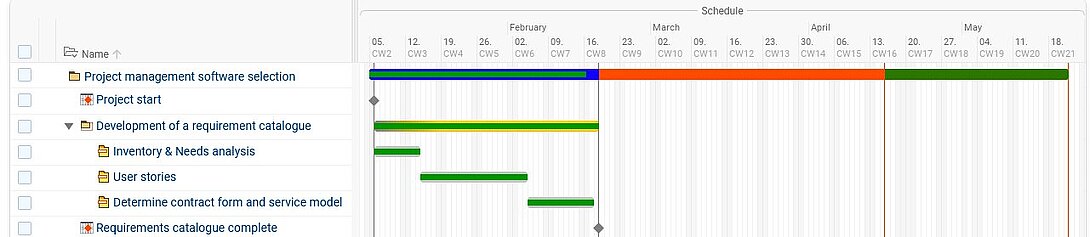
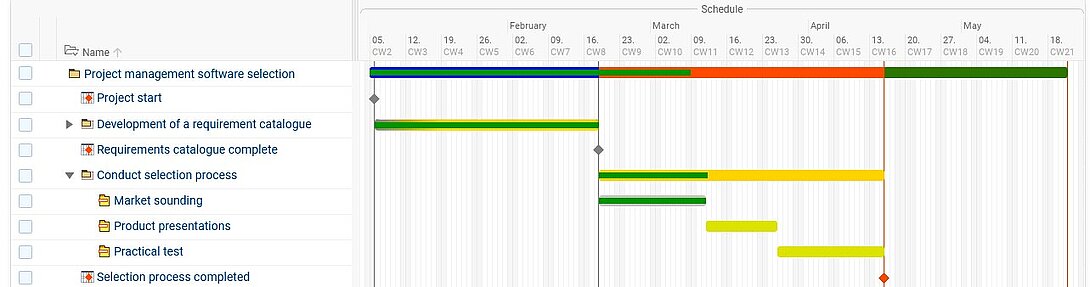
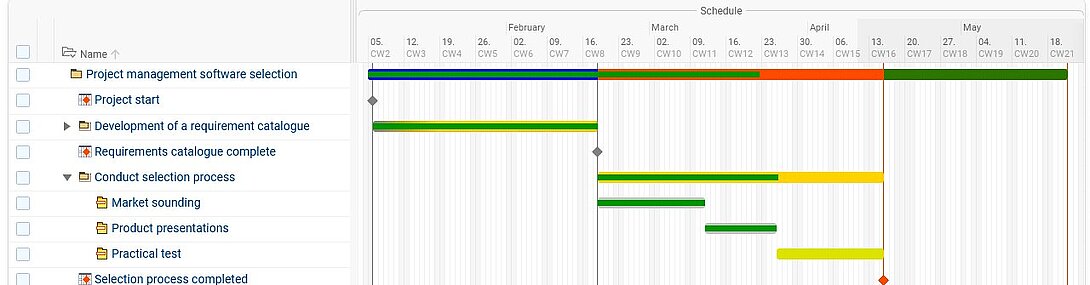
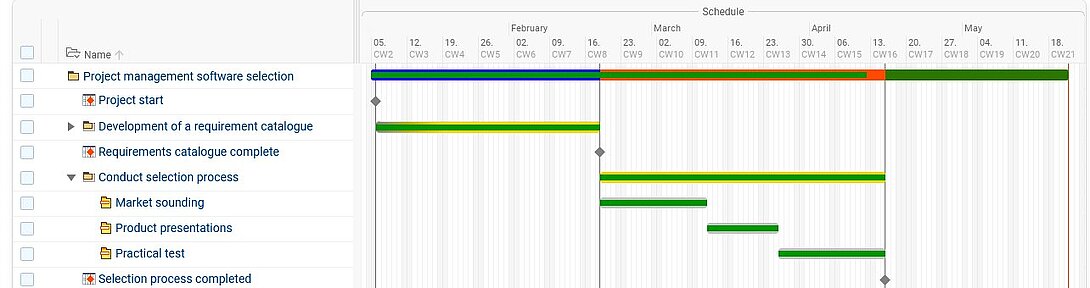
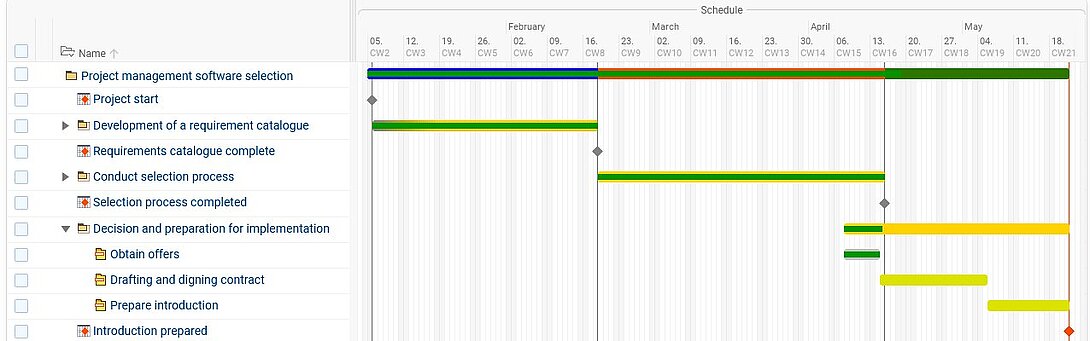
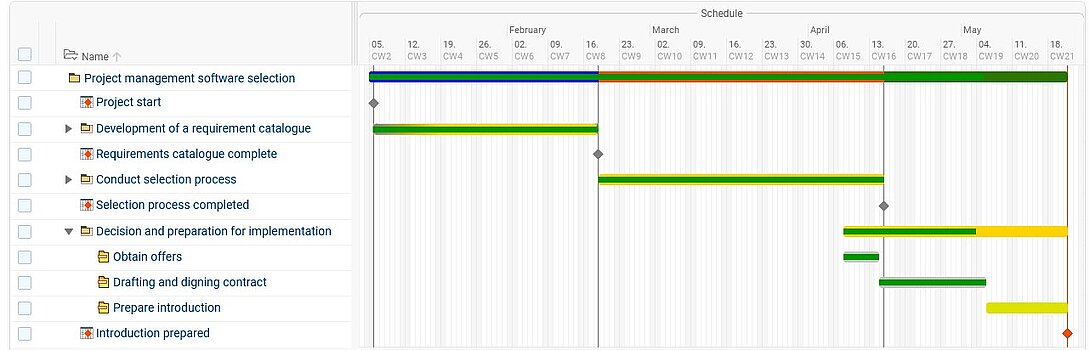
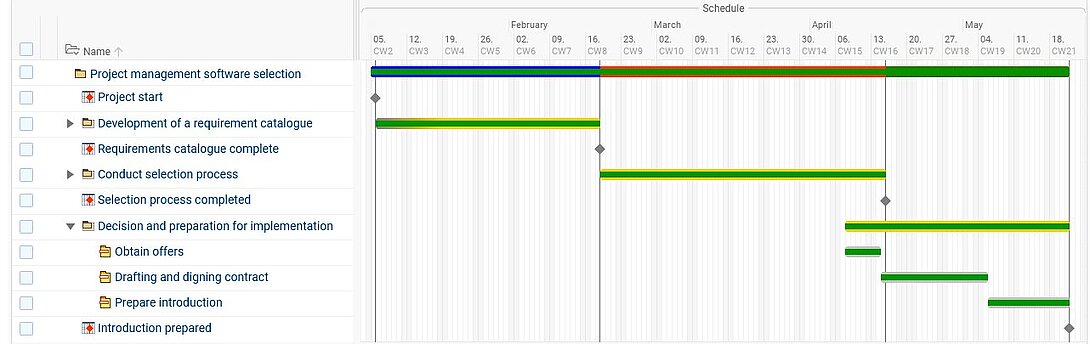
This project, “Selecting project management software”, can be divided into three phases, each with three steps:
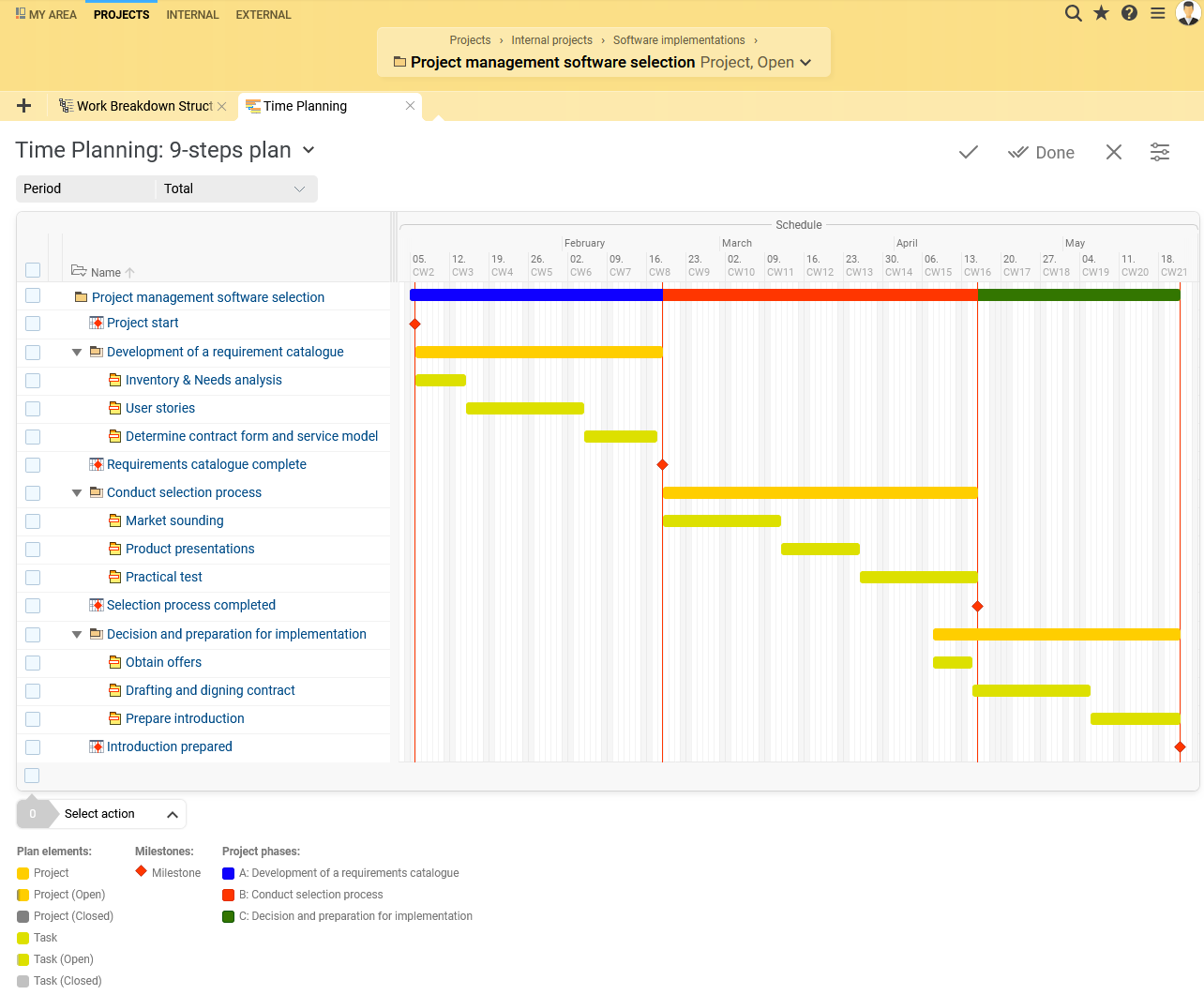
Phase A: Development of a requirements catalog
- Inventory & Needs Analysis
- Inclusion of user stories
- Determine contract form and service model
Phase B: Conduct selection process
- Market sounding
- Product presentations
- Practical test of a shortlist of project management software products
Phase C: Decision and preparation for implementation
- Obtain offers
- Drafting and signing contracts
- Create acceptance and prepare introduction
Step 1: Inventory & Needs Analysis
Before you even begin to inform yourself about the range and selection of project management solutions available, you should first look inside, analyze your own needs and determine your current position. As part of an audit, record the actual state of your organization's project management as concretely and specifically as possible.
As part of such a status quo analysis, clarify the following questions, for example:
- Which project management methods and frameworks have you been using so far?
- How complex are the projects you implement?
- How many team members, teams and departments are involved in the implementation?
- Do you regularly involve external employees, teams of service providers or external stakeholders?
- Do you primarily manage a single project or several projects (multi-project management) at the same time?
- Which other applications do you already use to map parts of your project management? Do you want to continue using these applications or should the new PM software replace one or more existing solutions?
- Which management workflows and workflow processes do you want to improve?
A comprehensive understanding of the current processes and challenges is the first step on the way to the optimal project management software. In addition to the internal analysis, you should also make future-oriented considerations:
- Where do you see your company in five years?
- Which functions could be relevant in the future?
Involving the affected teams is essential. Rely on transparent communication and workshops to involve all relevant stakeholders in the process at an early stage. This will ensure that the new software is widely accepted from the outset and seamlessly integrated into your day-to-day work. Define clear criteria for selection and prioritize them according to must-have and nice-to-have requirements.
Selection criteria
| Criterion | Key Questions | Tips & Notes |
| Functional scope | Does the software cover all required functions such as project planning, resource management, time tracking, controlling, and reporting? | Pay particular attention to must-have features and avoid tools that do not meet core requirements. |
| Usability | Is the software intuitive to use and does it support efficient day-to-day workflows? | High usability increases team acceptance and reduces training effort. |
| Integrations and interfaces | Can the software be integrated into existing systems such as CRM, ERP, or accounting? | Open APIs and standard interfaces are essential for seamless processes. |
| Cloud or on-premise | Should the software be operated as a SaaS solution in the cloud or locally within the company? | This choice affects costs, maintenance, security, and flexibility. |
| Data protection and compliance | Does the software meet legal requirements such as GDPR and industry-specific standards? | Important factors include server location, certifications (e.g. ISO 27001), and data processing. |
| Support and training offering | Does the vendor provide support, onboarding, training, and documentation? | Fast support and solid training options make implementation and operation easier. |
| Scalability | Can the software grow with your company and support more users or projects? | Look for flexible licensing models and expansion options. |
| Pricing and licensing model | How are the costs structured (subscription, license, add-on modules, per-user pricing)? | Consider the total cost of ownership (TCO) over several years. |
| Customizability | Can the software be adapted to individual processes and requirements? | Configurable workflows and modules increase long-term value. |
| Implementation effort | How much effort is required for implementation, migration, and employee training? | A structured rollout reduces risks and speeds up productive use. |
| Performance and stability | How reliable and fast is the software in daily use? | Especially important for productivity in large projects and with many users. |
| Reporting and analytics | Does the software provide meaningful reports and dashboards for projects and resources? | Transparency is crucial for informed decisions and effective controlling. |
| Mobile access | Can the software also be used on mobile devices (app or browser)? | Important for distributed teams and flexible working. |
| Vendor credibility and references | Does the vendor have references, experience, and a stable market position? | Customer reviews and reference projects provide additional assurance. |
| Future viability | Is the software continuously developed and adapted to new requirements? | Regular updates and innovation ensure long-term usability. |
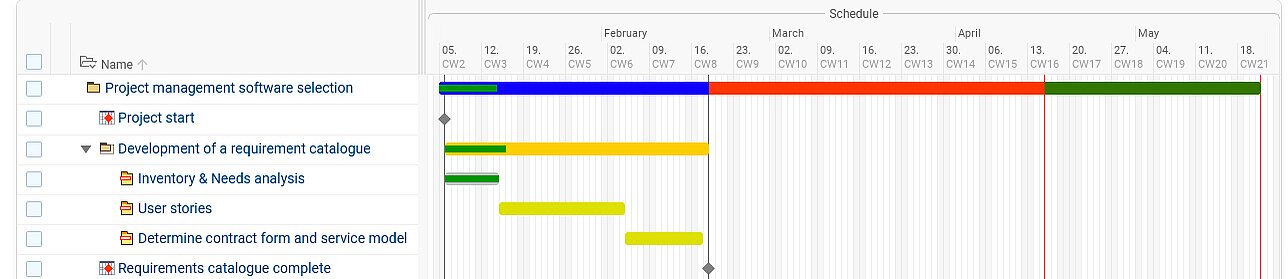
Step 2: Include user stories of the users
n addition to technical and business requirements, it is often the everyday needs of users that determine the success or failure of the software. To determine the desired range of functions in more detail, you should then survey all team members, project managers and stakeholders who will be working with the software in the future. Each participant should summarize, based on their previous experience, which processes should be mapped and automated and in what form. Ask specifically about pain points and wishes for an ideal solution. Users can contribute these requirements as a user story.
Questions such as the following need to be clarified:
- Which functions for agile project management should be included (e.g. Scrum including sprint planning tools, Kanban board)?
- How extensive are the requirements for a document management system integrated into the tool?
- Should billing and invoice creation be carried out by the PMS?
- Which options for time tracking should the product include?
- Is project portfolio management (PPM) useful?
- Which integrations and interfaces to other programs and tools are necessary?
- To what extent should customers, external employees or teams of service providers be integrated into project work and thus also into software use?
One proven approach is to create user stories: “As a project manager, I want an easy way to track project progress in real time so I can identify bottlenecks early.” Such concrete use cases help to clearly define the range of functions and avoid disappointment later on. Personas can also help to better consider different user groups and their specific needs.
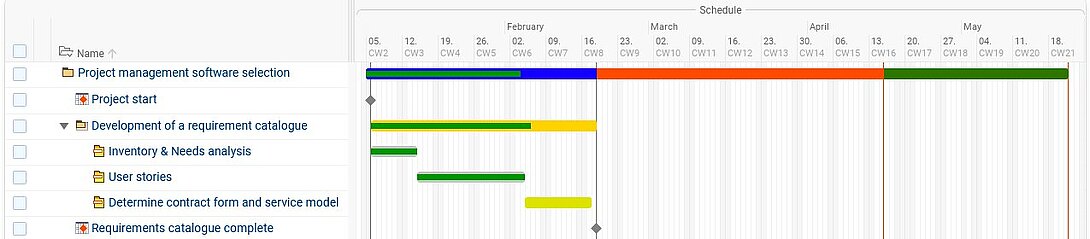
Step 3: Determine contract form and service model
In addition to features, economic and legal aspects also play a role. Choosing the right service model has far-reaching effects on security, costs and flexibility. In addition to SaaS and on-premise models, there are hybrid approaches that combine the advantages of both worlds. Clarify:
- On-premise or cloud? Do you want to host software locally or use a SaaS solution?
- Data protection & security: Does the software meet GDPR requirements?
- Cost models: One-time license fee or subscription model?
- Support & training: Is there German-language support? Are training courses offered?
Many providers offer their PMS as cloud or software-as-a-service (SaaS) solutions. With this concept, you usually purchase time-limited usage rights in a subscription model. You access web-based project management software via an internet browser. Installation is not necessary because the data is stored on the manufacturer's remote hardware. This means that all parties with the appropriate rights can access the data.
If you purchase PM software under the on-premise license purchase model for a one-time payment, it will be installed locally on your company computer. Data sovereignty lies solely with you, but you should have the appropriate server infrastructure and technical requirements.
Many software vendors offer both options. At this point, consult the expertise of your IT department or an external IT specialist.
If you choose the model in which the software provider hosts data (especially sensitive customer data), find out in advance where the provider maintains its servers. Make sure that the server is located in Germany or at least within the EU. The software should meet the requirements of the GDPR (General Data Protection Regulation) and the BDSG (Federal Data Protection Act). If you want to be as secure as possible, make sure that the software provider has a certified information security management system (ISMS) according to ISO 27001.
Aspects such as scalability, individual customization options and support options are also important. Find out whether the provider offers a migration concept in case you want to switch from an on-premise solution to the cloud or vice versa at a later date. Also take data protection guidelines and compliance requirements into account, especially if you work with sensitive data.

Tip: Create a requirements specification
You should record the results of the first three steps in a concrete requirements catalog that includes desired features, functions, views and requirements of all subsequent users on the one hand and the technical requirements for the software on the other. This catalog is the basis for the following project management software evaluation.
Step 4: Probe the market in a targeted manner
You are now well prepared to confidently navigate the vendor landscape. In addition to well-known brands, there are numerous specialized providers tailored to specific industries or company sizes. Make targeted use of industry directories and professional platforms to gain an initial overview. However, you should also avoid starting your search without prior planning.
The following approaches have proven particularly effective in practice:
| Conduct research using project management software reviews and comparisons. Keep in mind that many so-called “tests” and comparison sites are often based on affiliate partnerships, where top-ranked products may pay for better visibility and ratings. More reliable sources include industry publications and professional journals, as well as reputable platforms that combine objective product reviews with verified user feedback. Examples include international platforms such as Capterra, Gartner Peer Insights, or OMR Reviews. Independent software assessments and expert reviews are also valuable and trustworthy resources. | |
| Gather insights at trade fairs, industry events, on professional portals, or within industry-specific groups on business networks such as LinkedIn. Find out which project management tools your competitors are using. Industry-specific solutions may offer particular advantages depending on your workflows and requirements. Reputable software vendors typically provide customer references that you can contact to gain first-hand insights. | |
| Additionally, consider recommendations from search engines or AI-powered chatbots such as ChatGPT. Be as specific as possible: instead of searching only for “project management software,” refine your queries—for example, “project management software for construction,” “project management software for agencies,” or “European project management software.” Searching by specific features can also be helpful, such as “project management software with time tracking” or “project controlling software.” In AI-based tools, you can even input your full set of requirements and request suggestions for suitable solutions. However, keep in mind that AI recommendations are often based on widely marketed tools and commonly listed platforms. As a result, “hidden gems” may only appear after more detailed or repeated queries. |
For a first orientation, you can also refer to our project management software comparison featuring some of the most popular tools on the market. Start by collecting the names of potential PM solutions and compiling a list. Then visit the vendors’ websites to review which features and requirements each product covers. Use your previously defined requirements catalog as a framework to systematically evaluate each solution.
Tip: Don't compromise too soon
When selecting project management software, rigorously cross off from the list all those products that do not cover all the sub-areas you need. If a required functionality is completely missing, it is not worthwhile to deal further with a PM software provider. Only suppliers who fully meet your essential requirements, are financially viable and perform well in practical tests should be included on the shortlist.
Look for independent ratings when testing and comparing. Directly contacting companies with similar requirements can provide valuable insights. Reputable providers will name reference customers that you are welcome to contact directly. Don't forget to read user reviews from real users in forums or social networks. Make a short list of providers that meet your core requirements and make sure that they fit your budget.
If a provider is missing a piece of information that you need, you can use the opportunity to test the provider's service hotline and consulting expertise. After this initial software evaluation, filter out the project management programs that do not meet your requirements in terms of function and usability. The three to five best PMSs remain in the running.
Step 5: Arrange presentations
Now it's time to get down to business: Arrange a software presentation with each manufacturer and have the software products demonstrated. User-friendliness is an important aspect of software evaluation. An appealing interface alone is not enough – navigation should be intuitive and workflows should not be unnecessarily complicated. It is advisable to attend a presentation as a team and formulate questions in advance. At each software presentation, specifically address the points in your requirements catalog that
- you could not properly clarify based on the information on the website.
- Are particularly important to you.
- Are interesting in terms of navigation or usability.
Let yourself be guided through the software in live demos and ask specific questions about your use cases. Run tests with realistic data to find out whether the software actually meets your day-to-day business requirements. Also assess how well the provider responds to individual questions and whether customizations are possible. Then filter out the products that you are not convinced of in terms of design, usability or navigation. The wide range of project management solutions should now be narrowed down to two to three products.
Step 6: Hands-on - the PM software practice test
Don't make the mistake of hastily selecting a project management software that you only got to know from a functional description and a presentation. Of course, the manufacturers' sales representatives know the weaknesses of their tools inside out and focus on highlighting only the strengths of their software in each presentation.
To really assess the user-friendliness of a software, you have to try it out yourself: It's time for a project management software test! Insist that as many of your employees as possible have the opportunity to test the software in all areas. The longer the test period, the better. Each test user should perform all the actions multiple times that they would later perform in their daily use.
Pay attention to performance, stability and integration options. Support can also be tested in this phase: How quickly does the provider respond to inquiries? Is there a community or an extensive help center? Is there perhaps an easily accessible personal customer service representative?
A structured feedback process helps to collect all relevant opinions and make informed decisions. At the end of the test period, have each test user assess the usability according to a predefined, standardized evaluation system. A rating scale in the range of -3 to +3 or -5 to +5, each with additional comments, is a good idea. The scales in the minus range enable the testers to actively express rejection or abstention with regard to an aspect, which a school grading system of 1-6 or a point scale of 1-10 does not enable. If individual employees or entire departments do not feel comfortable using individual modules or functional areas, the software will permanently encounter low acceptance or even resistance and is not suitable for your requirements.
Evaluate the results and don't forget to weight them accordingly. If a software program comes out on top in the overall average of the evaluations, but a key function was rated in the negative range by all testers, you should still cross it off the list. If none of the PMS on the shortlist passes the usability test, you should go back to step 4.
Step 7: Obtain offers
You can request offers from the various providers parallel to step 6. Be open and let the sales representatives know that you are testing other products and which products you are testing. Due to the wide range of products on offer, the providers will probably want to attract you as a customer and also want to get to know your requirements and needs better. This way, you can certainly get one or two goodies or add-on modules at a discount.
Don't just negotiate the price, but also the services included. Clarify questions about updates, service-level agreements and any hidden costs. Some providers offer discounts for long-term contracts or non-profit organizations. Check whether additional services such as training or onboarding workshops are included. Compare not only the costs, but also the long-term added value of the solution.
When you receive the offer, ask for information on how long it will take to implement the project management software and train all employees, and when the project team can start working with the software.
Step 8: Review and finalize the contract
Read the terms of the contract carefully, especially with regard to notice periods, data security and support services. A transparent contract creates security and avoids later misunderstandings.
When making the final decision, include those people who will be working most intensively with the software – most likely the project managers – and don't just look at the introductory price. Seemingly particularly favorable providers sometimes come up with hidden costs, for example for support. In no case should price be the sole criterion for decision-making!
Depending on whether you have decided on a license purchase or a SaaS model, you will conclude a purchase contract or a rental contract. Take enough time to study the contract and have it checked. Record detailed technical requirements such as availabilities, responsibilities, service times, reaction times, availability of support, etc. in a separate Service Level Agreement (SLA).
If possible, seek advice from a legal expert to ensure that no disadvantageous clauses are included. In particular, consider aspects such as data migration when changing providers and long-term maintenance costs.
Step 9: Prepare software implementation

Once you have made your decision and the ink has dried, you should make an effort to take your employees with you and prepare them for the upcoming software implementation. Even the best software is useless if employees don't accept it. Invest in training, webinars and a clear communication strategy to get everyone on board. Arrange introductory events and on-site user training so that your entire team, or at least some users, feel prepared to work with the new project management software early on. While the actual introduction of the software is a project in its own right, the transition to selecting the project management software is fluid.
Therefore, keep your employees informed about your work and the progress of the selection process as transparently as possible. Keep an open mind and encourage employees to express themselves critically. This way, you create a basis of trust that also allows problems with the training to be discussed openly.
Tip: Guide the change
The selection and introduction of a comprehensive software solution, such as the selection of project management software, entails many more or less far-reaching interventions for your employees in their working methods or even their roles in the company. Therefore, accompany the entire process not only from the introduction, but already from the selection of the project management software closely flanking measures of the change management.
Seek and maintain contact with the user consultants of your new project management software provider. Ideally, you should work closely together to design an adapted introductory strategy for your company, thus creating further acceptance for the new software. Define clear responsibilities for the upcoming implementation project and conduct a test phase with a pilot group. Collect feedback and optimize processes before rolling out the software company-wide. Use change management strategies to ensure long-term acceptance.

Nathalie Buser, Head of Data Management & Statistics, Lindenhof Research Center, Bern, Switzerland
"Projektron BCS was evaluated from over 50 software programs. Our research center is very price-sensitive, and Projektron BCS offers excellent value for money. The training and setup of the software went very well and could be adapted to our processes and requirements. We save a lot of time in controlling, as we no longer have to compile figures. Resource planning will also be very important for us in order to better distribute new projects and avoid overloads. The new software was accepted by employees quickly and without complications."
FAQ: Choosing project management software
How should I approach selecting project management software?
How should I approach selecting project management software?
The selection of project management software should follow a structured process: needs analysis, gathering user requirements, defining technical and business criteria, market comparison, vendor presentations, hands-on testing, offer comparison, contract review, and preparation for implementation.
Which criteria are important when selecting project management software?
Which criteria are important when selecting project management software?
Key criteria include functionality, usability, integrations, scalability, data protection, support, pricing model, implementation effort, and user acceptance.
How many tools should I include in my shortlist?
How many tools should I include in my shortlist?
In practice, it is advisable to start with a larger longlist and then narrow it down to three to five solutions for presentations and two to three for hands-on testing.
Should I select project management software based only on demos?
Should I select project management software based only on demos?
No. A demo only provides a first impression. Project management software should also be evaluated through realistic use cases and hands-on testing with actual users.
How much does project management software cost?
How much does project management software cost?
Costs depend on the service model, number of users, functionality, integrations, support, and implementation effort. It is important to consider not only the initial price but the total cost over several years.
What role does implementation play in the software selection process?
What role does implementation play in the software selection process?
Implementation should already be considered during the selection phase, including training, change management, data migration, internal responsibilities, and user acceptance. Many software projects fail not because of missing features, but due to poor implementation.
Conclusion - this is how your "Project management software selection" project succeeds
Selecting project management software is not a quick decision, but a strategic process. If you clearly define your requirements, compare vendors in a structured way, conduct hands-on testing, and consider both financial and contractual aspects, you will find a solution that fits your organization in the long term.
The key factor is not which software promises the most, but which best supports your processes, user needs, and growth objectives. A structured approach to selecting project management software reduces the risk of poor decisions, increases team adoption, and lays the foundation for a successful implementation.
We wish you success in your selection of the right project management software!

About the author
Like all other departments at Projektron GmbH, Marketing also uses the possibilities of project management software to implement projects efficiently. Kai Sulkowski is an editor in the marketing department and is always informed about current developments and innovations from the world of project management.
More interesting articles in the Projektron blog
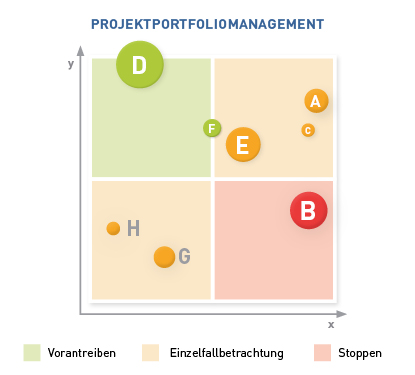
Project portfolio management
What is project portfolio management, why is it needed and what are the tasks of a project portfolio manager? Discover 5 good reasons for project portfolio management and a proven 7-step strategy for your project portfolio management!
Project management software comparison
Get an up-to-date overview: We compare 15 of the most popular and best project management software solutions. Start here, discover the market and compare for yourself!

Software implementation
The introduction of business software is complex. What implementation strategies are there? Which strategy is suitable for which purpose? With this knowledge, you can lead your implementation project to success.

7 advantages of PM software
From better Excel spreadsheets to comprehensive business coordination software: what advantages does project management software offer and for whom is it worth buying a PM tool? We provide 7 good reasons why your company will benefit from project management software.
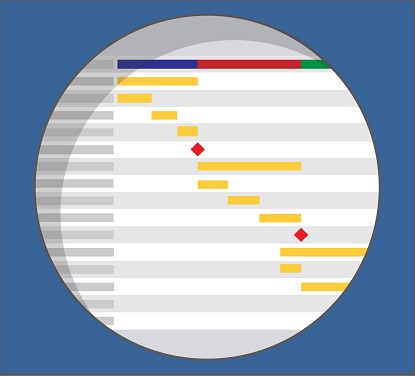
The selection of project management software is a project in itself.